Product
AP and AR invoice tagging automation
Reading, tagging, forwarding and matching of invoices from email and WhatsApp, from clean PDFs to photos of handwriting, with flags on the few that need a person.
Updated







What it does

AP and AR tagging
- Email and WhatsApp
- Reads the attachments
- Unsure ones are flagged for a person
AP and AR dashboards
- Payables against receivables
- Receivables aging
- Reports you reshape by asking Volty
Finance rep routing
- Routing rules you write
- A named person gets it, with the reason
- Only people on your list receive it
Bank advice matching
XeroQuickBooksOdooSAP and any accounting system with an API
- Reads the advice attachment
- Matches payer, amount and reference
- Unclear ones come to you
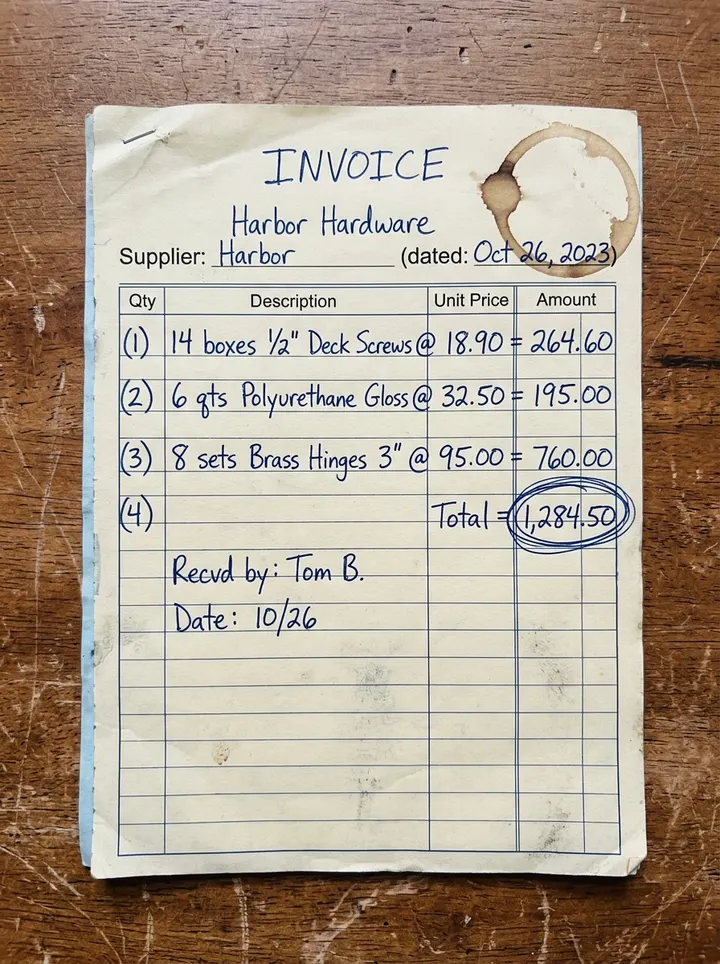
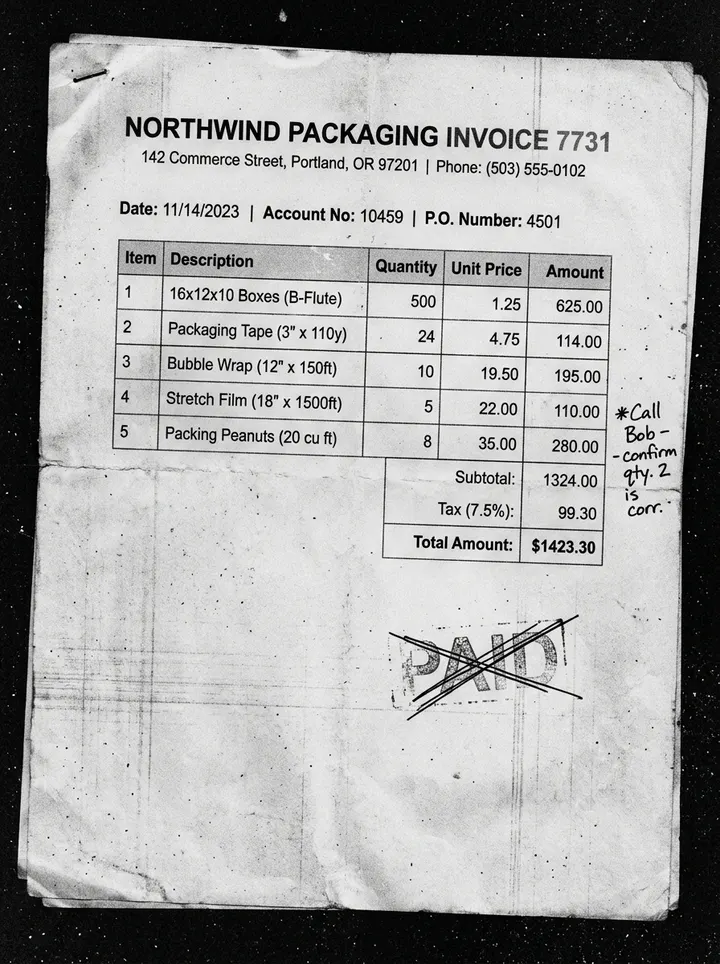
Handwritten and scanned invoice reading
- Handwriting and noisy scans
- Adds up the lines to check the total
- Anything unclear goes to a person
A large retailer
About 5,700 emails a month in its accounts payable mailbox read, categorized and forwarded automatically.
The same retailer
AR payment-check requests tracked one row per request.
A B2B services firm
Inbound bank advice matched to open invoices.
How it works
- 01
Point Volty at where invoices arrive
The Outlook mailbox, shared or personal, and the WhatsApp number your suppliers use.
- 02
Teach it your tags and routing
List what counts as AP and AR and who gets each. Volty tries it on past documents and sends nothing.
- 03
Review the first week, then let it run
An admin approves the automation once. You see every document it handled and every one it flagged.

Frequently asked questions
Start your Sandbox Trial
Sign up for our 7-day trial. No credit card needed.
Not convinced? Hear more from our CEO and Volty
Meta now charges for WhatsApp replies. Here's what it means for your business, October 8, 2026