What the error looks like
You open the WhatsApp Business App, go to Settings > Business Platform and tap Connect to the Business Platform. After you confirm, WhatsApp shows:
"Something went wrong. Please try again. If the problem continues, contact support."
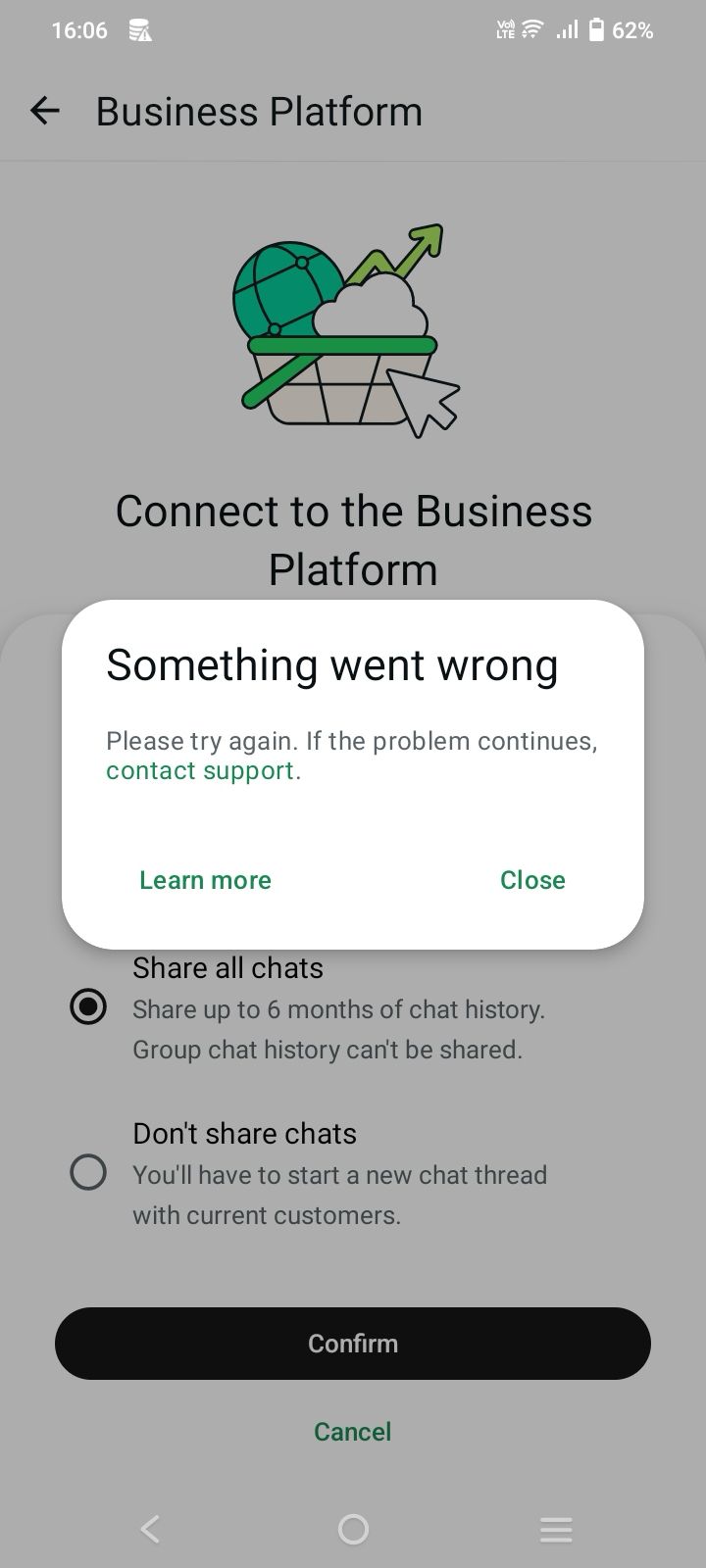
The message names no cause. Meta has refused the connection for now, and the usual reasons are a number that is too new, too many attempts in a short time, or an open issue on the business portfolio. Work through the steps below in order.
1. Stop retrying and wait
Do not tap Confirm again and again over a few minutes. Repeated failed attempts can lengthen the overall wait, because Meta's systems read a burst of retries as suspicious activity.
Close the dialog and leave it. Try again after a few hours, and if it still fails, wait a day or a few days before the next attempt.
2. Check whether your number is new
WhatsApp Business typically expects a number to have been in use for about 7 days before it connects to the Business Platform.
Warming up a brand-new number over its first 7 days is critical to avoid automated spam flags, temporary restrictions or a permanent ban. During that window Meta's systems watch whether the account behaves like a person or like a bot:
If your number is less than a week old, use it normally in the WhatsApp Business App for 7 days, then try to connect again.
3. Check your alerts in Meta Business Suite
Log in to business.facebook.com and open Notifications (the bell icon in the left menu). Read every alert, announcement and notification from Meta, high priority first.
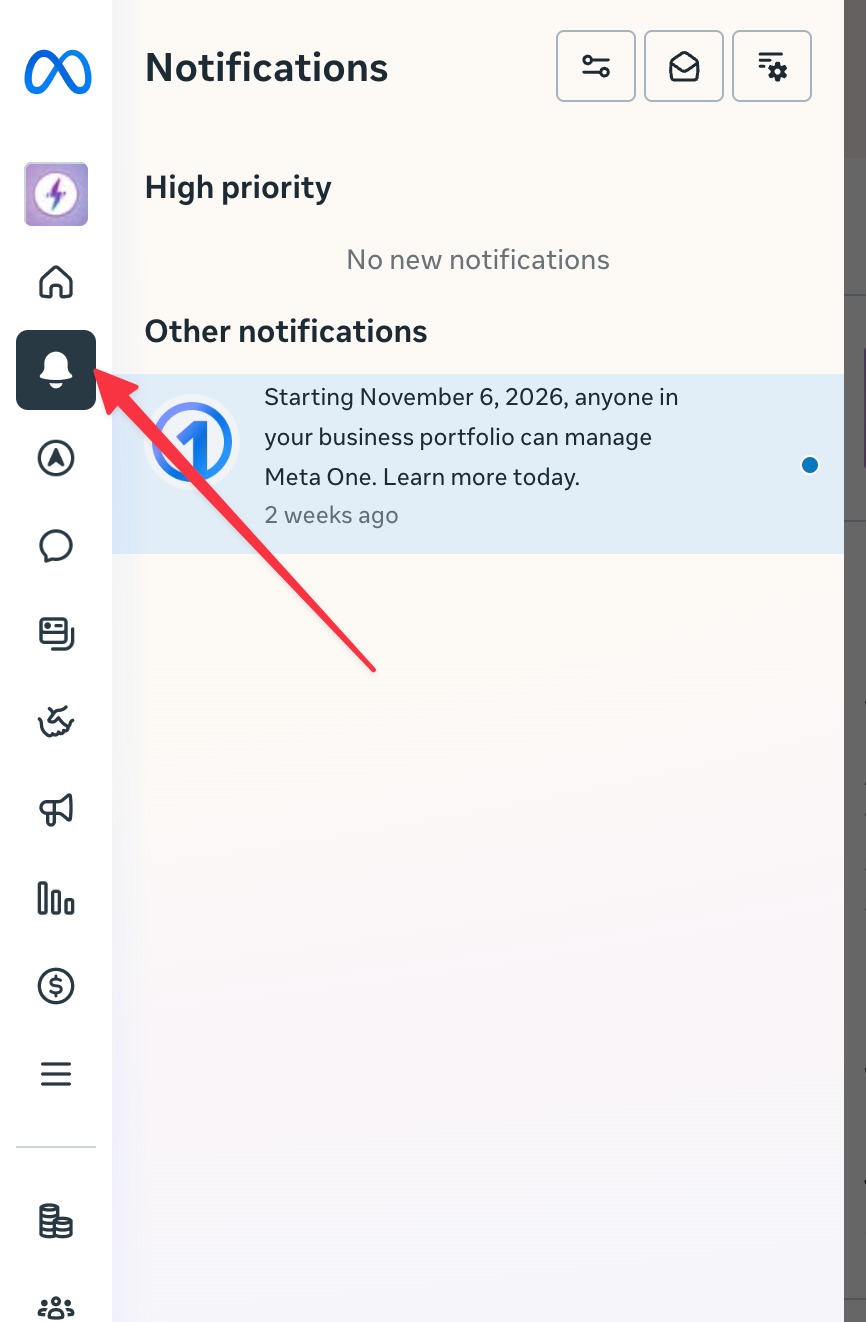
Common alerts that block the connection:
Fix each one, then wait a few hours before you try to connect again.
4. Ask the Meta AI business assistant
If the connection still fails, ask the Meta AI business assistant in Meta Business Suite. It has improved a lot and can read your business portfolio's settings, so it often names the exact issue behind the error.
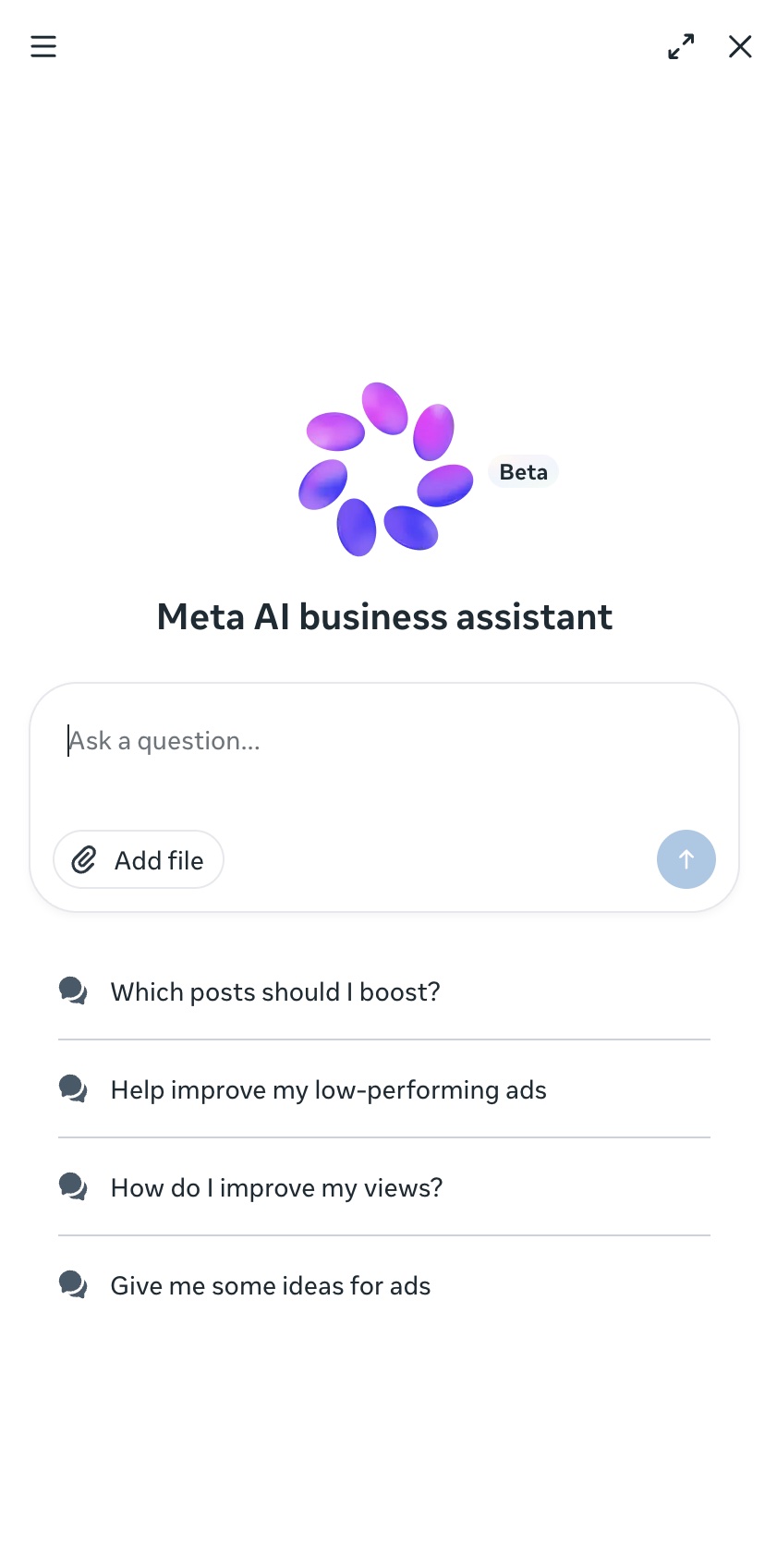
Tell it what you tried, for example:
"I get 'Something went wrong. Please try again' when I connect my WhatsApp Business App number to the Business Platform. What is blocking it?"
5. Open a direct support ticket with Meta
If you have waited a few days and it still fails, write a direct support ticket to Meta at business.facebook.com/direct-support.
Include the phone number, the business portfolio name, the date and time of each failed attempt, and a screenshot of the error. List what you already checked in steps 2 to 4 so Meta does not ask you to repeat them.
Frequently asked questions
Related errors
Get help from a Meta Business Partner
If you are a customer of a Meta Business Partner like Volty, we can help you accelerate your direct support ticket with Meta.
Start free trial. Our team can help you get your number connected.