Rooms: team chat with your AI agent inside
Rooms are your team's internal group chats in Volty, like an internal WhatsApp group. Volty is in every room, so you can ask it questions and tell it things your whole team should know.
In this video
What's in it for you
- Discuss a customer with your team right beside the conversation, not in a separate WhatsApp group.
- Ask Volty about your conversations, for example how many came in today.
- Tell Volty something once, such as "this is a VIP", and it saves it to the contact so it applies next time they write in.
Step by step
- 1
Your chats with Volty in the left panel are one to one and private to you. Rooms are for the team.
Watch this step (0:00)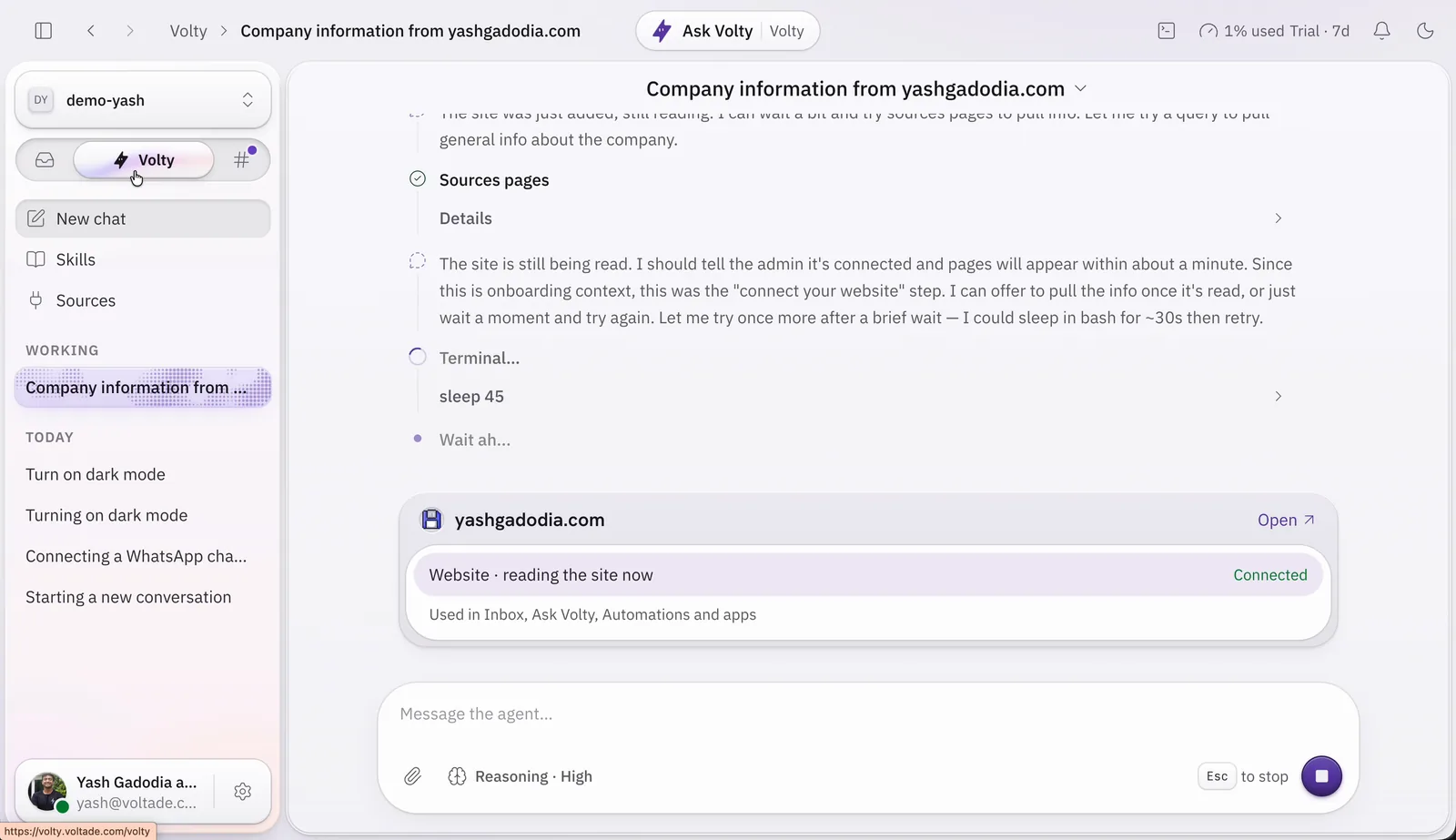
- 2
Open the Rooms tab and create a room. Give it a name, such as Support team, choose private or public, and add your staff.
Watch this step (0:05)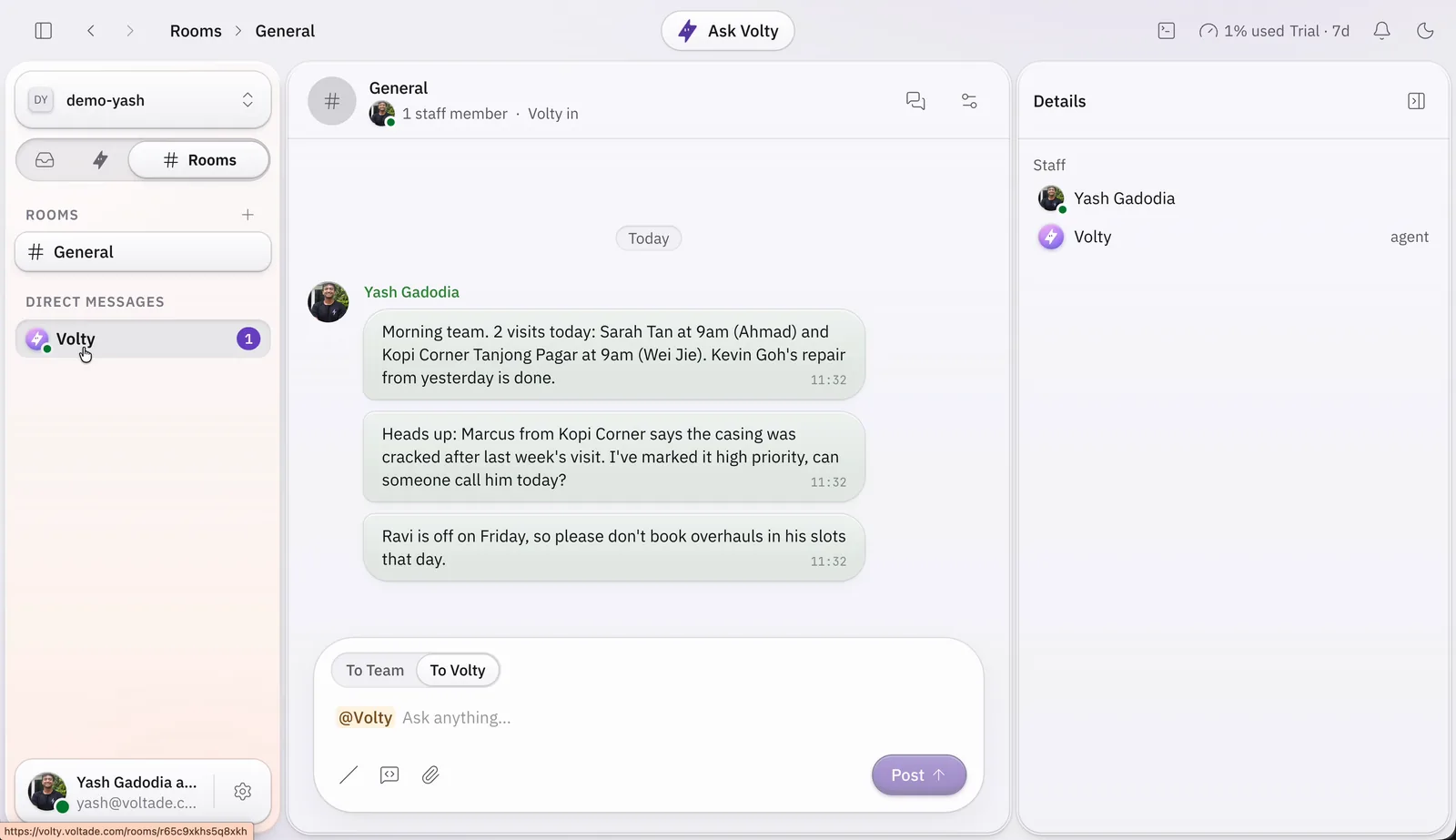
- 3
Tag @Volty in a room to ask it something, for example how many conversations came in today.
Watch this step (0:31)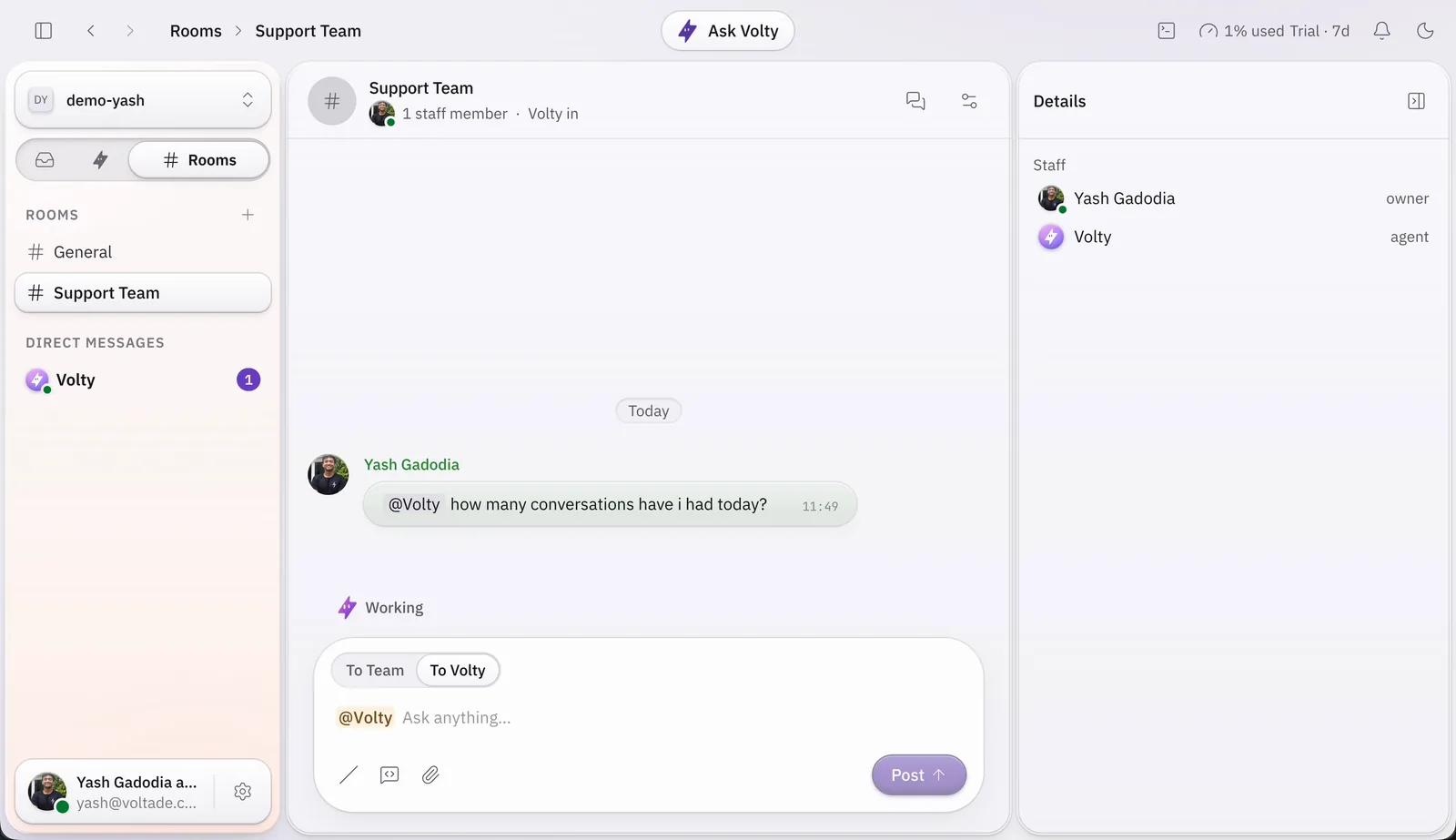
- 4
In a customer conversation, open the room panel on the right to discuss that customer with your team and Volty.
Watch this step (0:38)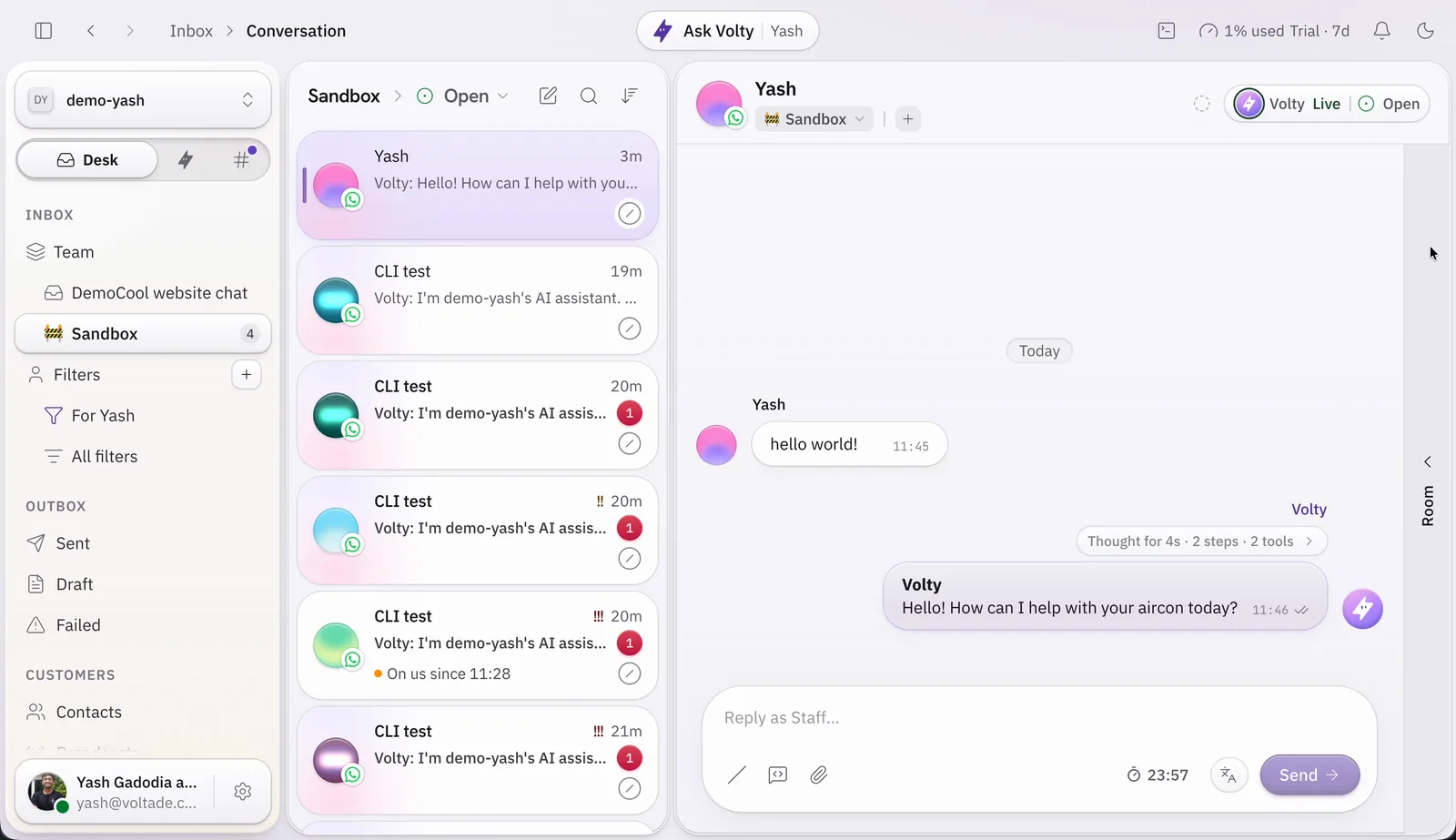
- 5
Tell Volty something to remember, such as "this is a VIP, give them priority". Volty adds it to the contact's notes, so it applies next time they write in.
Watch this step (1:05)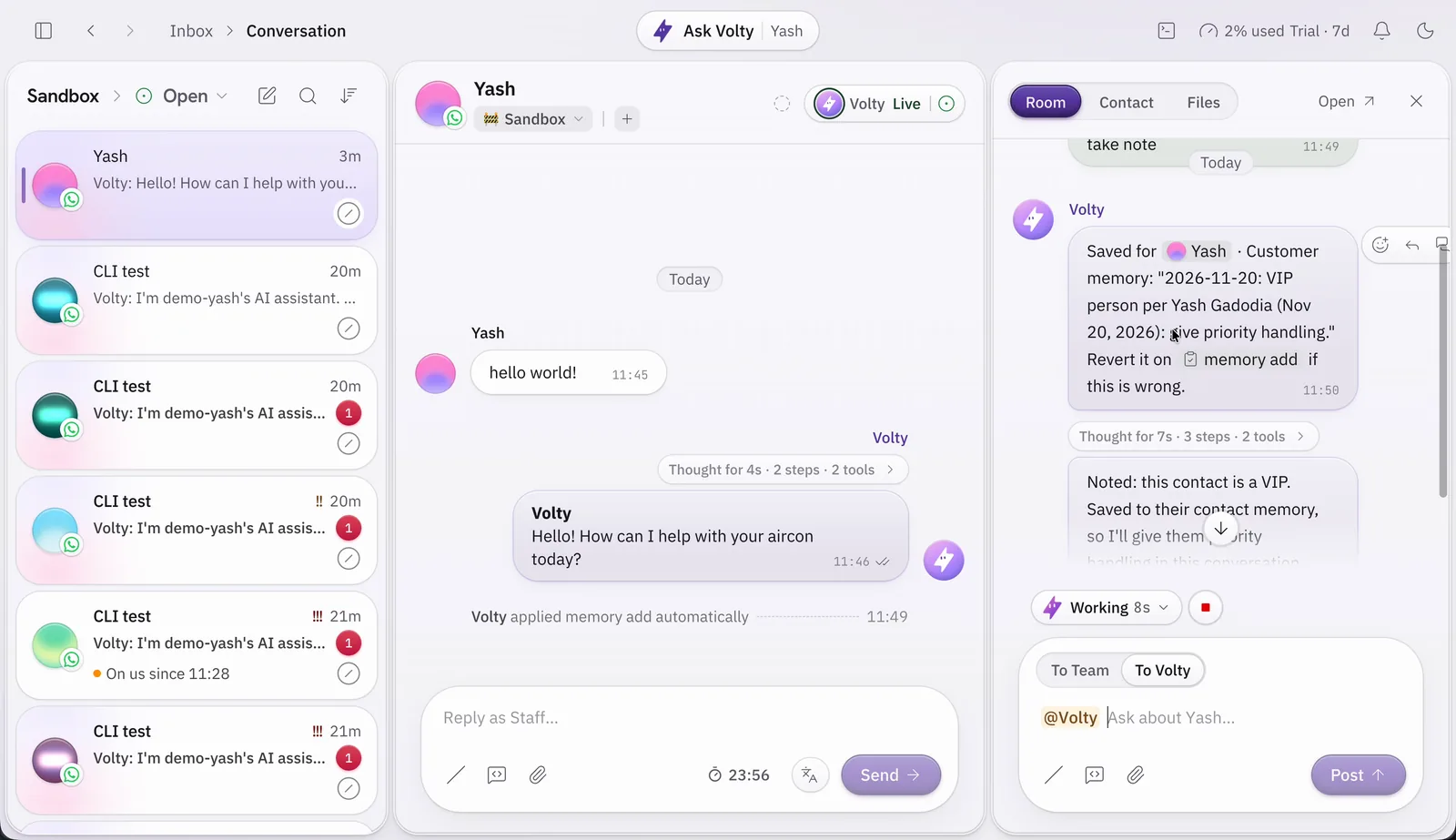
Make the most of it
- Make one room per team, such as Sales or Support, so leads are discussed where everyone on that team can see them.
- Make a room private when the discussion shouldn't be seen by the whole workspace.
If it doesn't work
- Volty doesn't answer in a room.
- In rooms, Volty only replies when it's tagged with @Volty in the message itself, or when someone replies to one of its messages. Tag it in the same message as your question.
Up next
Transcript
Now you may be wondering, but how do we create like group chats in Volty and we have that feature in as well so if you click here, there's a room feature and now these are some test conversations that I had but you can create a room and I can call this let's say like a support team The room can be private or public and because I don't have any staff in there that I can Create some staff and add them into this room here So then this is like your internal teams or internal WhatsApp group that you can have. But the key reason of why you want to use this rooms is that your Volty agent lives here also So I can just tag Volty and I can say how many like conversations Have I had today? For example, right and now Volty should be able to answer these questions Another key feature of the room is that if I'm having a conversation with someone I can open a room on the right and I can talk to Volty and say oh, this is a VIP person take note right, because I mean especially for teams that are in the sales teams. They need to discuss about a particular lead or a customer that they have So having this room feature is really helpful And can really help you to like train your Volty agent as well because you can tell Volty something and now as you can See Volty has written it into the memory Where now if you go into the contact information itself There is this note that's been added right that this person has been marked as a VIP give them priority handling
Start your Sandbox Trial
Sign up for our 7-day trial. No credit card needed.
Future-proof your business with AI. Hear from our CEO

The Leonard and Volty Show · October 8, 2026
Meta now charges for WhatsApp replies

The Leonard and Volty Show · October 1, 2026
Too busy to hire?

The Leonard and Volty Show · September 21, 2026
From $500 chatbot jobs to agentic AI

The Leonard and Volty Show · September 10, 2026
Your AI is a new employee

The Leonard and Volty Show · September 4, 2026
Trust in the AI world

The Leonard and Volty Show · August 29, 2026
Does the AI model matter?

The Leonard and Volty Show · August 19, 2026
What are AI agents?
Meta now charges for WhatsApp replies. Here's what it means for your business, October 8, 2026