

A social media chatbot is software that answers the direct messages people send your business on social and messaging apps, mainly Instagram, Facebook Messenger and WhatsApp. It plugs into each app's official messaging API, replies in seconds, and either follows a script you wrote or, in its AI form, reads the question and answers from your own information before passing anything tricky to your team.
The useful questions are practical ones: which messages it should take, what the platforms allow, and how to stop it annoying the people you want as customers. This guide answers those, with Meta's rules checked against its developer documentation and a setup you can follow in an afternoon.
Where social media chatbots work
For most businesses, chat on social media means Meta's three apps, and each has its own rules. Other networks have their own messaging policies and APIs, so check their developer terms before automating them; this guide sticks to Meta.
| Facebook Messenger | |||
|---|---|---|---|
| Account needed | Professional account (business or creator) | A Facebook Page | A number on the WhatsApp Business Platform |
| Who writes first | The person | The person | The person, or the business with an approved template |
| Free-form reply window | 24 hours for most actions, up to 7 days after a click-to-Instagram-Direct ad | 24 hours for most actions, up to 7 days after a click-to-Messenger ad | 24 hours from the customer's last message |
| After the window | A human agent can reply within a 7-day Human Agent window | Message tags for specific updates, including a human agent tag | Approved message templates only |
The pattern is the same everywhere: the customer opens the conversation, and the business has a limited time to reply freely. A chatbot is valuable mostly because it replies inside that window every time, including at 2am. For WhatsApp's side in detail, read the guide to the WhatsApp 24-hour rule.
Three kinds of social media chatbot
Scripted bots
These show buttons or watch for keywords, then send a fixed answer. Type "price", get the price list. They are predictable and cheap, and they suit a narrow job such as sending a discount code to everyone who replies "YES" to a story. They fail as soon as a customer types something nobody planned for, which on social media is most of the time: people write the way they talk, with typos, emojis and three questions in one message.
AI chatbots
These understand free text and write an answer from material you give them, such as your website and FAQ. They handle the long tail of questions a script misses. On their own they only talk, so a customer who wants to book still has to wait for a person.
AI agents
An AI agent understands the message and also acts on it: it checks a calendar and books a slot, looks up an order, writes the lead into your CRM, and hands the chat to a named teammate when it should. For most businesses that get real enquiries in their DMs, this is the version worth setting up. The post on AI agents versus chatbots shows one message handled by each kind.
Jobs a social media chatbot does well
Product and price questions from people who saw a post or a reel, answered while they are still scrolling.
Story replies. When someone replies to a story with "how much?", the answer depends on which story it was, so the bot needs to see the story with the reply.
Ad conversations. Someone who clicked an ad expects the reply to know what the ad offered.
Bookings and enquiries for service businesses: picking a time, collecting the details a quote needs, confirming.
Photos. Customers send a screenshot of the product they want or a photo of the problem, and a good agent reads it instead of asking them to describe it.
After-hours cover, so the first answer no longer depends on who is on shift.
Here is a typical exchange on Instagram that a script would struggle with and an AI agent handles in one turn:
Customer: "hi saw the oak side table in your story, do u deliver to the north side and is it still in stock?"
Agent: "Hi! Yes, the oak side table is in stock, and we deliver to the north side of the city within 3 to 5 working days. Would you like me to reserve one for you?"
Every fact in that reply has to come from your own information, which is why the knowledge you give the agent matters more than the tool. The AI knowledge base guide covers what to write down first.
Where a chatbot has to stop
Cold outreach. On Instagram and Messenger a bot cannot start a conversation with someone who has not messaged you. Tools that promise mass DMs to strangers are working outside Meta's rules and put the account at risk.
Comments. Public comments are a separate surface from DMs. On Messenger, Meta lets a Page send one private reply to a comment or visitor post within 7 days. Treat comment automation as its own decision.
Disclosure. Meta's policy says that where the law requires it, an automated experience must tell people they are talking to an automated service at the start of a conversation, after a long gap, and when a chat moves from a person back to automation. Saying so everywhere is the simpler habit.
Sensitive conversations. Complaints, refunds, health questions and anyone who asks for a person should go to staff quickly, with the conversation attached so the customer does not repeat themselves.
Guessing. When the answer is not in your information, the right reply is that a teammate will confirm, never an invented price or date.
Setting one up in an afternoon
Check the accounts. Switch Instagram to a professional account and link it to your Facebook Page. If you sell on WhatsApp too, decide whether it joins the same inbox. The guide to switching to a business account on Instagram has the steps.
Pull the last 100 DMs from each channel and sort them into topics. Note which ones a person must handle.
Make sure your website, prices, delivery terms and booking rules are current, since the agent will answer from them.
Connect the tool through Meta's official login, and pick which inbox and team each channel goes to.
Write the handover rules in plain sentences, for example: "Hand any complaint, refund request or order over a set amount to the sales lead."
Run in draft mode first, where staff approve each reply. After a few days, let the topics that pass without edits go out automatically.
Keep a few scripted pieces
An AI agent can still sit beside a few fixed rules. Some things are better scripted because they must be exactly the same every time: the wording of a disclosure that the chat is automated, the text of a giveaway's terms, the message that confirms an opt-out. Keep those as fixed replies or saved replies, and let the agent handle the open questions around them. Meta's own inbox tools also offer an instant reply and a short list of frequently asked questions for Instagram and Messenger, which still have their place on an account with very few messages. The guides to Instagram auto replies and Messenger auto replies show how to set those up.
What to measure after launch
| Measure | What it shows |
|---|---|
| Replies sent inside the messaging window | Whether anyone is left unanswered when the window closes |
| Median first reply time, day and night | Whether after-hours DMs get the same service |
| Share resolved without staff | How much repeat work the bot removes |
| Handovers and their reasons | What to add to the knowledge next |
| DMs that become bookings or orders | Whether the bot helps sales or only answers |
| Errors in a weekly sample of 20 chats | Real answer quality, which averages hide |
A clinic answering Messenger and Instagram with Volty
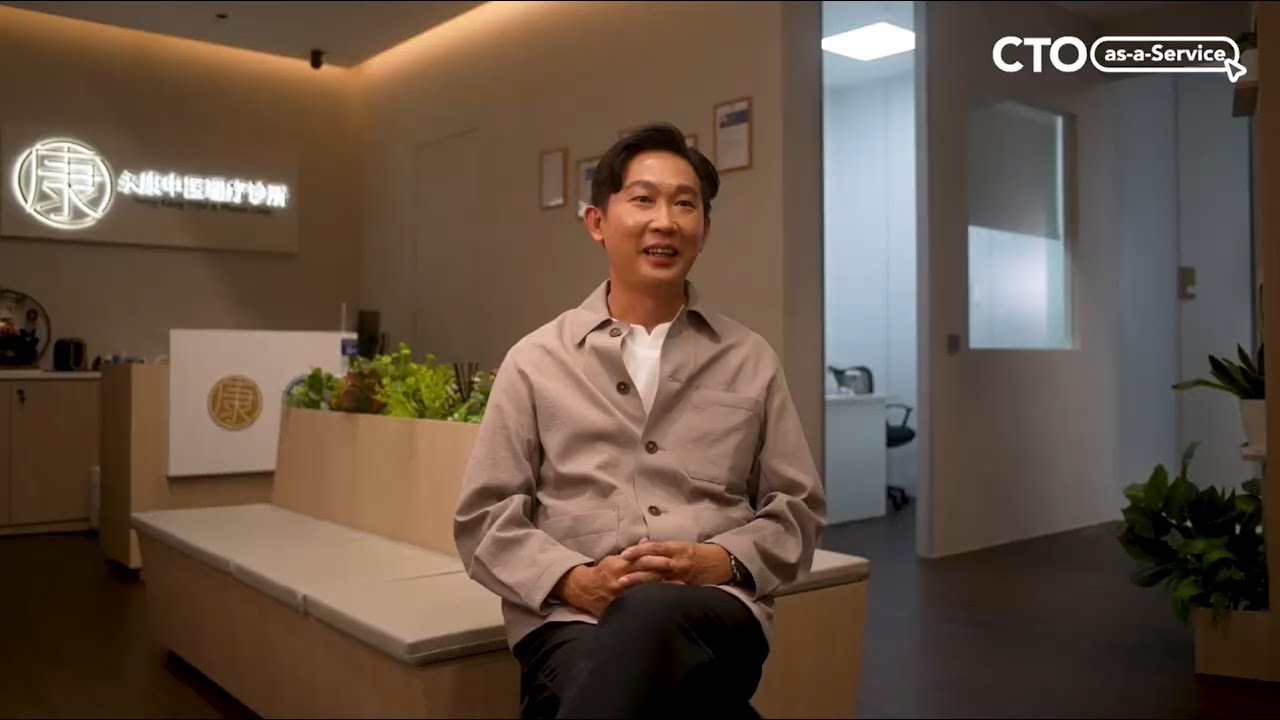
Yong Kang TCM Clinic runs its WhatsApp enquiries through Volty and has Volty answer patients on Messenger and Instagram too, with reception working every channel from one shared inbox. Bookings rose 20%, peak-time replies went from 30 minutes to under 5, and chat traffic grew 60% with no new headcount. Elson, Founder of Yong Kang TCM Clinic, said: "With better data insights, our service team can focus on higher-value work like planning promotions and driving customer engagement."
Running your social DMs in Volty
Connect your Facebook Page and the Instagram professional account linked to it, and both Messenger and Instagram come into Volty, beside WhatsApp, email and web chat, with one contact list and one AI agent. Volty answers DMs and story replies from your own information, sees which story a customer replied to, reads the photos people send, and receives the ad when a customer arrives from a click-to-Messenger ad. It labels and routes each conversation, books appointments in the chat, and hands a conversation to a teammate in the same thread when it needs a person. Each inbox chooses whether Volty replies on its own, drafts for staff or stays out. See the details on Volty's Messenger and Instagram AI page, and compare plans on the pricing page; every plan starts with a 7-day free trial.
Frequently asked questions
What is a social media chatbot?
A social media chatbot is software that replies to the direct messages people send a business on social and messaging apps such as Instagram, Facebook Messenger and WhatsApp. It connects through each platform's official messaging API, and it can range from a scripted menu of buttons to an AI agent that understands free-text questions and books, looks up or records things in other systems.
Can a chatbot message people first on Instagram or Messenger?
No, a chatbot on Instagram or Messenger cannot start a conversation with someone who has not contacted the business first. Once the person messages, Meta's rules give the business a standard messaging window to reply, which lasts 24 hours for most actions and up to 7 days when the person's first message came from a click-to-Messenger or click-to-Instagram-Direct ad.
Are chatbots allowed on Instagram?
Yes, chatbots are allowed on Instagram when they use Meta's Instagram messaging API on a professional account, meaning a business or creator account. They must follow Meta's messaging policies, including replying only after the user writes first, staying inside the messaging window, and disclosing that the conversation is automated where the law requires it.
What is the difference between a social media chatbot and an AI agent?
A traditional social media chatbot follows a script of keywords and buttons someone wrote in advance, so it breaks when a customer asks something off the script. An AI agent reads the question in plain language, answers from the business's own information, takes actions such as booking a slot, and hands the conversation to staff when it needs a person.
How much does a social media chatbot cost?
A social media chatbot costs the tool's subscription, plus WhatsApp message charges that Meta bills separately by the type of template message sent; Instagram and Messenger replies carry no Meta fee. Volty Plus is US$159 a month on the US price list, with 6 seats, 1,000 monthly active contacts and 15,000 AI credits a month; prices can change and differ by country.