Track usage and billing
Your usage and plan are at the top right of every screen in Volty. Here is where to see what your usage is spent on, and where to choose a plan.
In this video
What's in it for you
- See where your usage goes: by activity, contact, staff member, automation and inbox.
- Choose a plan and pay inside Volty, with no invoice back and forth.
- On a trial, add a payment method to extend the trial by another seven days.
Step by step
- 1
Look at the top right: it shows your plan and, on a trial, how many days are left.
Watch this step (0:00)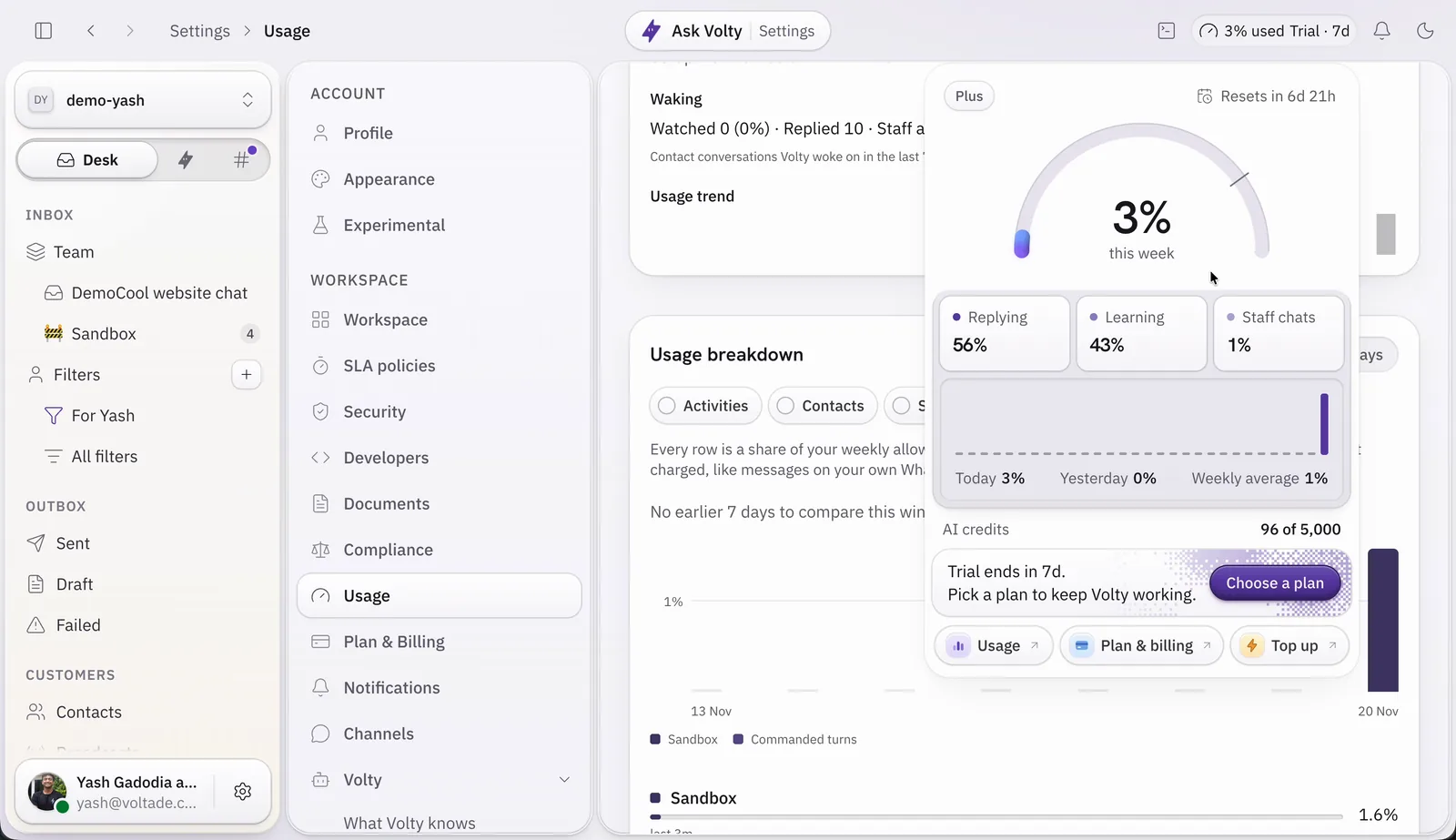
- 2
Open Usage for a breakdown by activity, contacts, staff, automations and inboxes, so you can see where your usage goes.
Watch this step (0:16)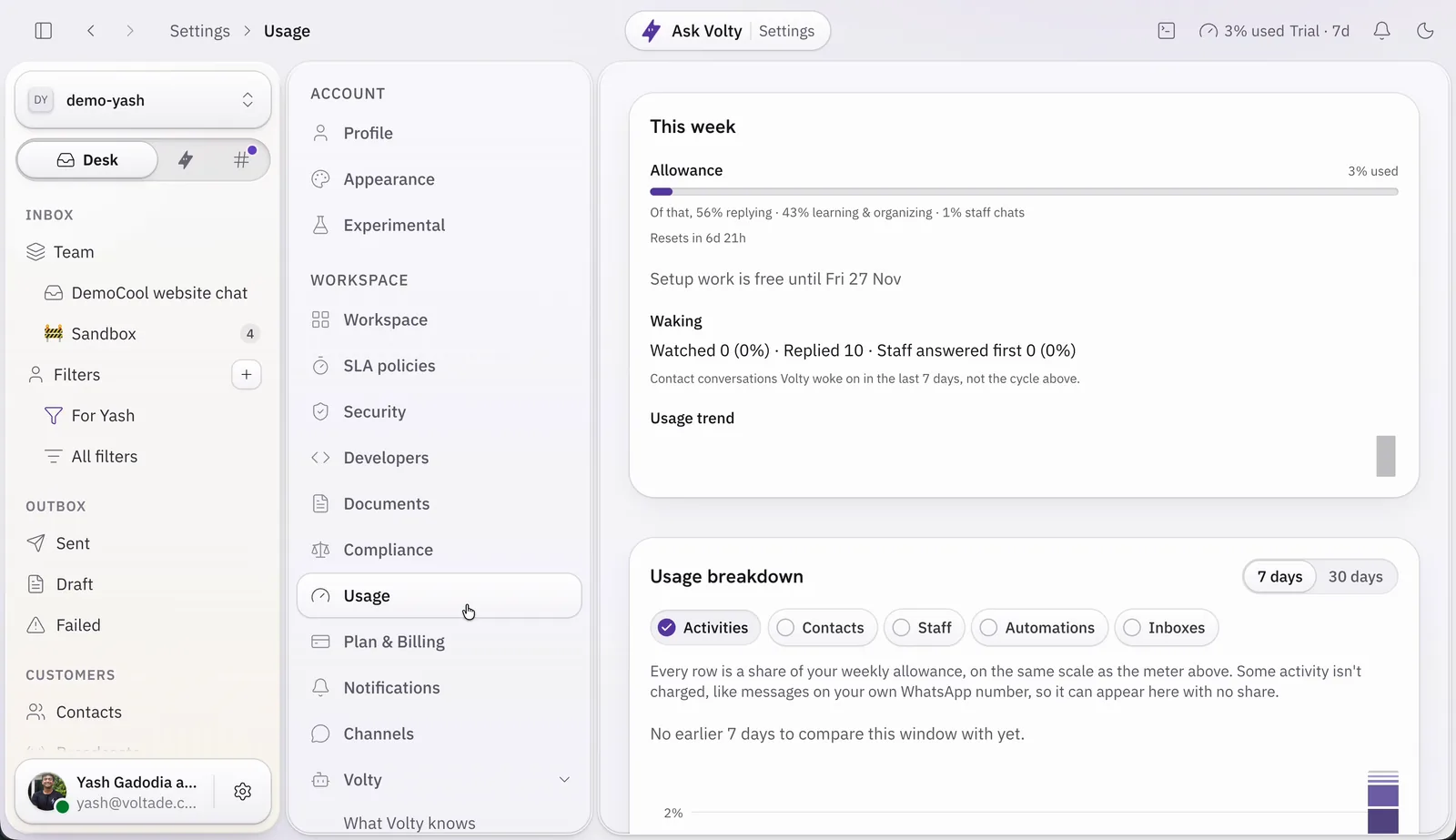
- 3
Open Plan & billing to choose a plan and add a payment method.
Watch this step (0:31)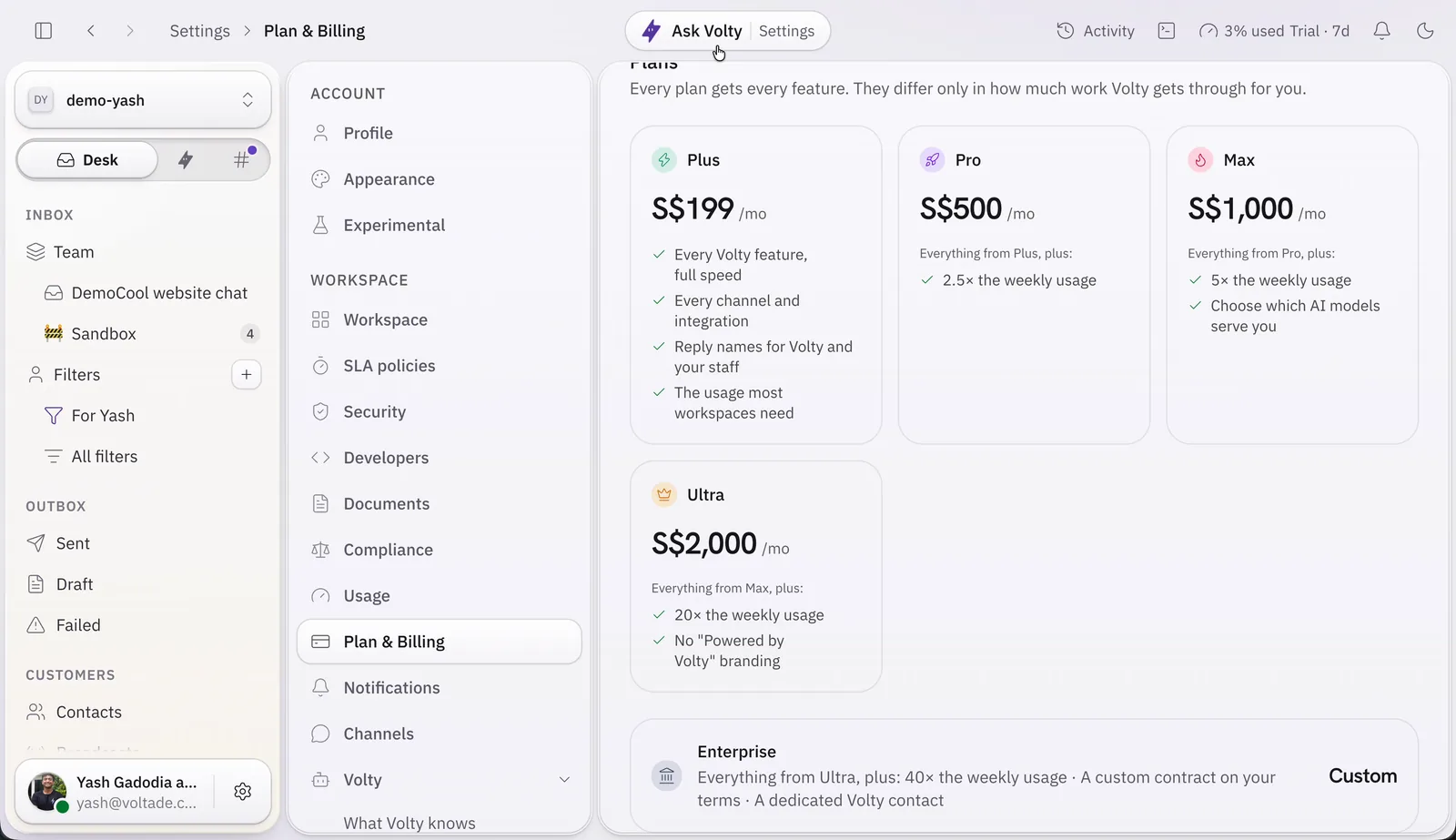
- 4
Not sure which plan fits? Ask Volty, for example "What is the Pro plan for? Is it suitable for my company?"
Watch this step (0:38)
Make the most of it
- Sort Usage by inbox. If Volty writes a draft for every message in an inbox nobody works from, turn Volty off for that inbox under Settings, Inboxes, Manage.
- Drafts use credits even when nobody sends them, so Draft mode on a busy inbox adds up.
If it doesn't work
- Usage jumped overnight.
- Open Usage and look by inbox. The usual cause is Volty drafting every incoming email or message in a busy inbox.
- Volty stopped replying.
- On a trial, check the days left at the top right: when it ends, Volty stops replying without an error. On a plan, check Usage: when the weekly allowance is used up, messages still arrive in your inbox but Volty stops answering until it resets or you move to a bigger plan.
You've reached the end
That's every help video so far. New ones are added as Volty grows.
Billing: 1 video
Transcript
The last thing I'll talk about before the end of the video is on the top right, you can see your usage as well. So currently, we're on a trial plan, which ends in seven days. If I put in a payment method, I can extend this trial by another seven days, but you can track your usage and top up for your billing as well. So when I go into the usage here, I can see usage breakdown based on activities, contacts, staff, automations, inboxes. And so this is really helpful for governance as well, if you want to see where are your tokens being spent. It all goes in here. And so this tab can also be where you can choose a plan and add in your payment method. So it's all on Volty itself. And if you're unclear at any point in time, just ask Volty, say, like, what is the pro plan for. Is it suitable for my company? And so Volty is really self-service. You can just talk to Volty agent directly and it can help you out and get you started.
Start your Sandbox Trial
Sign up for our 7-day trial. No credit card needed.
Future-proof your business with AI. Hear from our CEO

The Leonard and Volty Show · October 8, 2026
Meta now charges for WhatsApp replies

The Leonard and Volty Show · October 1, 2026
Too busy to hire?

The Leonard and Volty Show · September 21, 2026
From $500 chatbot jobs to agentic AI

The Leonard and Volty Show · September 10, 2026
Your AI is a new employee

The Leonard and Volty Show · September 4, 2026
Trust in the AI world

The Leonard and Volty Show · August 29, 2026
Does the AI model matter?

The Leonard and Volty Show · August 19, 2026
What are AI agents?
Meta now charges for WhatsApp replies. Here's what it means for your business, October 8, 2026