WhatsApp error code 131060: companion device message visibility
When using WhatsApp Business API with Coexistence mode, you may encounter error code 131060. This error is specifically related to companion devices and affects message visibility on the API side.
What error 131060 is
Error code 131060 occurs when a WhatsApp user with an unsupported companion device sends or receives a message to or from your business number.
According to Meta's official documentation:
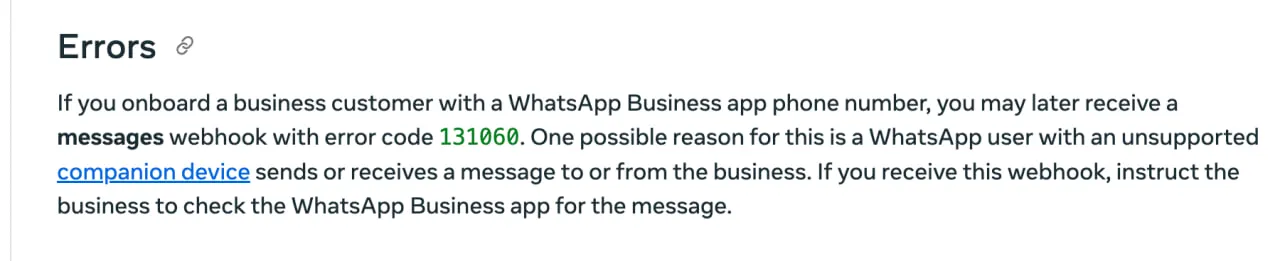
"If you onboard a business customer with a WhatsApp Business app phone number, you may later receive a messages webhook with error code 131060. One possible reason for this is a WhatsApp user with an unsupported companion device sends or receives a message to or from the business."
Why this happens
This error is common with Coexistence setups, where one number runs on the WhatsApp Business App and the Cloud API at the same time:
1. The phone is the primary device. The Cloud API connection is treated as a linked companion device.
2. Some companion devices do not pass messages to the API. WhatsApp Web and WhatsApp for Mac do. WhatsApp for Windows and WearOS do not, so a message sent or received on one of them never reaches the API.
3. A first message can also fail this way. When someone messages the business for the first time, often from a click-to-WhatsApp ad, the first message can arrive as 131060 and the ones after it deliver normally.
What the customer and your team see
The customer sees nothing unusual. Their message was delivered to your WhatsApp number and shows as sent on their phone.
On your side, the message is in the WhatsApp Business App on the primary phone. The API receives a webhook with error 131060 and no message content, and Meta does not deliver that message again later, so any inbox or chatbot connected through the API cannot show what it said.
How Volty handles this error
Volty keeps the message in the conversation as a notice that reads "Open the WhatsApp Business app to see this message." A Why? link beside it explains that the message is on the phone and that Meta does not pass it to connected apps. Nothing failed, and the customer does not need to resend it.
Because the message has no content, Volty's AI agent does not reply to it. A person reads it in the app and answers if it needs an answer.
How to resolve this issue
The message only exists in the WhatsApp Business App, so it needs to be handled there:
Step 1: Check the WhatsApp Business App
Open the WhatsApp Business App on the primary phone and find the message in that chat.
Step 2: Reply if it needs a reply
Answer from the WhatsApp Business App, or from your connected inbox now that you know what the customer asked.
Step 3: Stop using unsupported companion devices
If the message was sent or received on WhatsApp for Windows or WearOS, use WhatsApp Web or WhatsApp for Mac instead. Later messages deliver to the API normally either way, but the 131060 message itself is never redelivered.
Best practices for Coexistence mode
To minimize error 131060 occurrences:
1. Regularly open the WhatsApp Business App on your primary device
2. Encourage customers to message your primary number rather than through companion device limitations
3. Train your team to check the WhatsApp Business App when a message shows as unavailable in your inbox
4. Consider full Cloud API migration if these errors become frequent, this eliminates companion device issues entirely
Contact the Volty team
If you're frequently encountering error 131060 or need help optimizing your Coexistence setup:
Talk to Volty. Our team can help you configure the best setup for your business needs.