

A WhatsApp broadcast sends one message to many customers at once, and each person receives it as a private one-to-one chat. In the free WhatsApp Business app you can do this with a broadcast list of up to 256 contacts. For larger audiences you use the WhatsApp Business API, where a broadcast is an approved message template sent to the people you choose.
The same two methods are the permitted ways to send bulk messages on WhatsApp. A third route, unofficial tools that loop through a contact list from an ordinary account, breaks WhatsApp's terms and gets numbers banned, as explained under staying out of trouble.
The two permitted methods share a name and little else. They differ in who can receive the message, how many people you can reach, what you can see afterward and what it costs.
Broadcast lists in the WhatsApp Business app
A broadcast list is a saved group of contacts that you message together. A few rules shape what you can do:
A list holds up to 256 contacts.
Only people who saved your phone number in their contacts receive the message. Everyone else is silently skipped.
Recipients see a normal one-to-one chat from you, and they do not see each other.
The message is free-form: text, images, video and documents, with no approval step.
There is no scheduling and no delivery report beyond the ticks on each message.
To make one, open the Business app, go to the chats list, choose New broadcast, select the contacts and write the message. For a shop with a few hundred loyal customers who already have your number, this is enough. Meta is also rolling out Business Broadcasts in the app to eligible users in select countries, which adds scheduling, reach to people who have not saved your number and broadcast insights.
Broadcasts on the WhatsApp Business API
Once your list passes a few hundred people, or you want to reach customers who never saved your number, you need the API. The mechanics change in four ways.
The message must be an approved template when the recipient's 24-hour window is closed, which is the case for almost every broadcast. Meta reviews the template before first use. See our guide to WhatsApp message templates.
Recipients must have opted in to receive messages from you on WhatsApp.
Meta charges for each delivered template message.
The number of new people you can reach in a day is capped by your messaging limit.
Step by step: sending an API broadcast
Collect opt-ins. A checkbox on a form, a keyword sent to your number, a point-of-sale prompt, or a tap on a button in an earlier chat all work, as long as you record the date and how the person agreed.
Pick the template. Choose a marketing template for promotions and a utility template for transactions such as a delivery or booking update. Keep promotional wording out of utility templates, because Meta can recategorize them.
Build the audience. Segment by what people have bought, where they live, or when they last wrote, rather than sending to everyone.
Fill in the variables. A name and one relevant detail make a message read like it was meant for the person.
Test it. Send the message to yourself and check the wording, the link and the buttons on a real phone.
Check who is left out. Opted-out contacts and blocked numbers should never receive it.
Send or schedule it, ideally in the recipients' daytime.
Read the results and follow up with the people who read it but did not reply.
Limits that apply
| Limit | Value | Applies to |
|---|---|---|
| Broadcast list size | 256 contacts | WhatsApp Business app |
| Who receives it | Only contacts who saved your number | WhatsApp Business app |
| Unique people outside the 24-hour window per moving 24 hours | 250, then 2,000, 10,000, 100,000 and unlimited as the business portfolio qualifies | WhatsApp Business API |
| Audience in one Volty broadcast | Up to 20 segments, or up to 5,000 contacts picked by hand, or a spreadsheet of up to 200,000 rows | Volty |
The messaging limit belongs to the business portfolio and is shared by every number in it. If your audience is larger than your limit, split it by segment and send one segment a day. Our guide to messaging limits shows how a portfolio moves up a level.
What a broadcast costs
The Business app costs nothing. On the API, Meta charges per delivered template message, and the price depends on the template category and the recipient's country. These are examples of marketing template rates from Meta's rate card effective October 1, 2026, in US dollars per delivered message:
| Recipient's country | Marketing rate | Cost to message 5,000 people |
|---|---|---|
| United States and Canada (North America) | US$0.0250 | US$125 |
| United Kingdom | US$0.0635 | US$317.50 |
| Singapore | US$0.0732 | US$366 |
Only delivered messages are charged, so a number that is not on WhatsApp costs nothing. Utility templates for transactions cost less than marketing ones in all three markets above. To price a month of sends in your own country, use the WhatsApp pricing calculator or the pricing guide by market. Your provider's plan fee comes on top.
A first month of broadcasts
If you have never sent one, a modest plan teaches you more than a big first blast.
Week 1: send a short, low-stakes update to a small group of customers who opted in, such as a change in opening hours. Check delivery and replies and fix any broken links.
Week 2: send one marketing broadcast to your most engaged segment, for example customers who bought in the last 90 days. Keep it to one offer.
Week 3: read the results. Note the read rate and the reply rate, and see who opted out. Follow up with the readers who did not reply.
Week 4: widen the audience to a second segment, using the wording that worked. Keep the first segment on a steady rhythm.
By the end of the month you have a baseline for each number in the results report, and your messaging limit has had a chance to show whether it will rise.
Sending from a spreadsheet
Many bulk sends start as a spreadsheet: customers exported from a point-of-sale system, a form, or a lead list from an event. Broadcast tools on the API take the file directly, so prepare it before you upload:
One row per person, with the phone number in international format: country code first, no spaces, dashes or brackets, such as 60123456789 for a Malaysian mobile or 447911123456 for a UK one.
One column for each variable in your template, such as first name, appointment date or amount due.
No duplicates, empty rows or mistyped numbers. A number that is not on WhatsApp fails and shows up in the results.
An opt-in column if the file mixes customers who agreed with ones who did not, so you can filter out the second group.
The tool fills the template for each row and sends within your messaging limit. Volty accepts a spreadsheet of up to 200,000 rows for one broadcast, and its pre-send check counts the rows it leaves out before anything goes.
Staying out of trouble
WhatsApp's terms of service list bulk messaging and auto-messaging among the uses its services do not allow. That is aimed at tools that script an ordinary WhatsApp or Business app number to message hundreds of people who never saved it. Many identical messages sent quickly to strangers generate reports and blocks, the account gets restricted and then banned, and the number printed on your shopfront stops working. Our guide to official WhatsApp blast tools compares software that sends through the API instead.
Message people who asked to hear from you. Unexpected broadcasts get blocked and reported, and Meta rates each template green, yellow or red from that feedback.
Give an easy way out. An opt-out button on every broadcast beats a customer blocking your number, because blocks count against your quality.
Segment. A relevant offer to 800 people often gets more replies than a generic one to 8,000.
Do not buy lists. People who never gave you their number will block you.
Keep the frequency steady. A weekly or fortnightly rhythm works better than a burst after months of silence.
Watch for the replies. A customer who answers opens a 24-hour window in which you can talk freely, so have someone ready to reply.
Reading the results
The numbers that matter after a broadcast are sent, delivered, read, replied and failed. Delivered divided by sent shows list quality. Read divided by delivered shows whether the opening line works. Replies divided by delivered shows whether the offer is attractive. The failed group shows blocked numbers and numbers not on WhatsApp, which you should remove before the next send.
Then follow up. Customers who read but did not reply are warm: send them a short second message a few days later, with a different angle rather than the same text again.
When part of a send fails
Some failures are normal: the number is not on WhatsApp, the person blocked you, or your messaging limit ran out partway through. Remove the numbers that are not on WhatsApp and anyone who blocked you. If you hit your limit, wait for the 24-hour period to roll over and send to the rest. Retry only the failed group, since resending to people who already received the message only adds blocks.
If many recipients blocked or reported the message, stop and look at who you sent it to. A drop in a template's quality rating, or a pause, says the audience or the wording was wrong, and the fix is a better segment and a clearer first line. The template guide explains how ratings work.
Broadcasts at Mister Mobile and Happy Fish
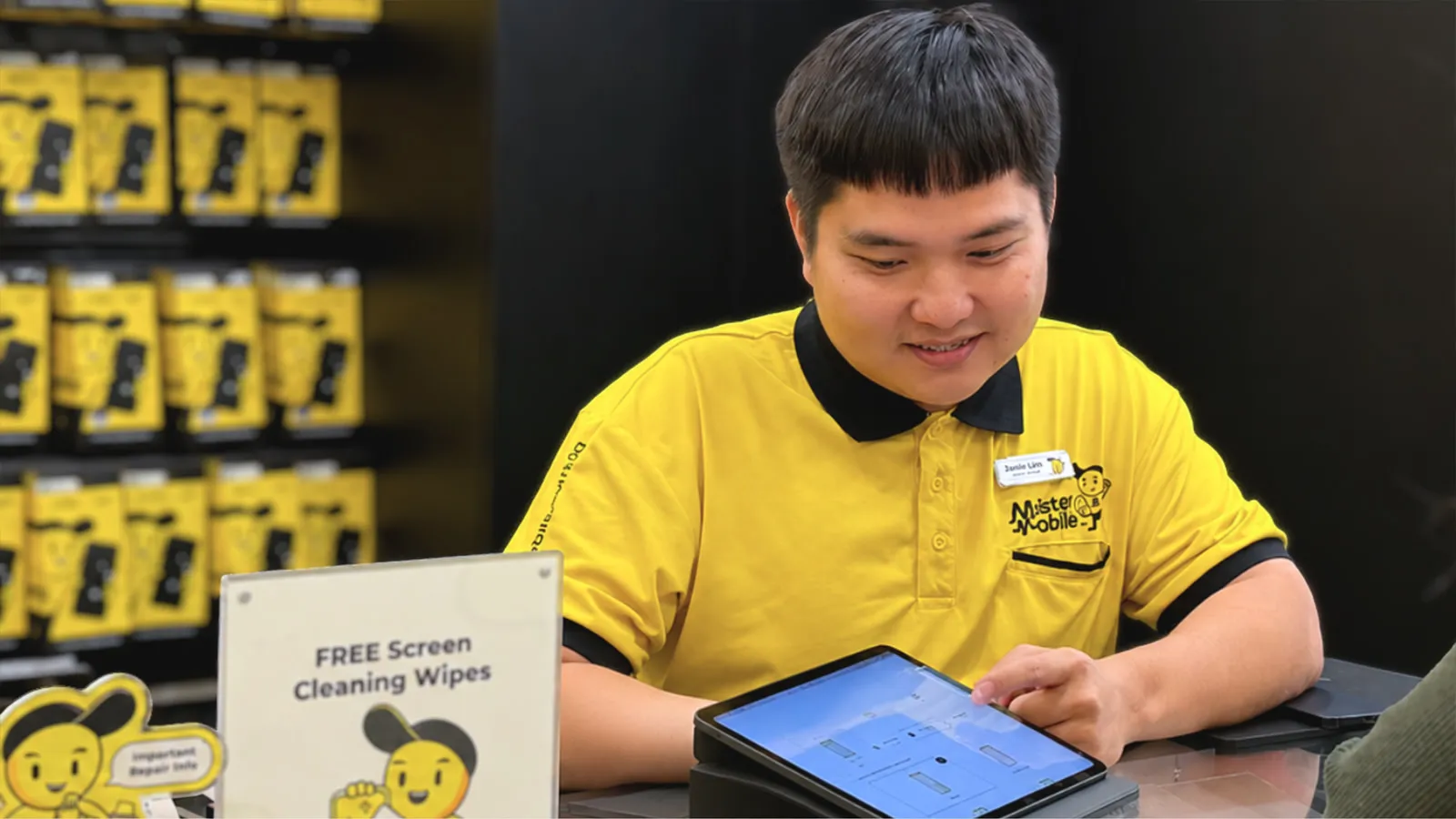
Mister Mobile, a smartphone retailer with 20 outlets, brought customers and orders from three systems into one CRM that runs its WhatsApp. Volty sends WhatsApp broadcasts to customer segments automatically, and an AI chatbot answers customers on WhatsApp. The retailer reports about 120 man-hours of manual work saved every day across data consolidation, customer responses and marketing broadcasts.
Happy Fish, a swim school, runs its WhatsApp broadcasts from Volty, and Volty's AI agent answers parents on WhatsApp from the school's own curriculum and schedules.

How to do this in Volty
In Volty, a broadcast sends one Meta-approved template, once, to customers you choose: segments, contacts picked by hand, or a spreadsheet. A pre-send check leaves out opted-out and blocked contacts and shows how many are skipped for each reason, so the numbers add up. You can send yourself a test, then send now or schedule it. Every broadcast carries an opt-out button, and anyone who taps it is left out of later ones.
Afterward you see who each message was sent to, delivered to, read by and replied to. You can retry failures and send a new broadcast to the people who read but did not reply. Replies land in the shared inbox as ordinary conversations that Volty's AI agent and your team answer. To plan your first send, read about Volty broadcasts. Prices differ by market and can change, so see the pricing page.
Frequently asked questions
How do I send bulk messages on WhatsApp?
Use a broadcast list in the WhatsApp Business app for up to 256 contacts who saved your number, or send an approved message template through the WhatsApp Business API for larger audiences. The API route needs customers who opted in and a provider that connects your number.
Can I get banned for sending bulk WhatsApp messages?
Yes, if you send them from an ordinary WhatsApp or Business app account with an unofficial bulk sender. WhatsApp's terms do not allow bulk messaging that way. Approved templates sent to opted-in customers through the WhatsApp Business API are the permitted route.
What is a WhatsApp broadcast?
A WhatsApp broadcast is one message sent to many recipients at once. Each person receives it as an ordinary one-to-one chat, and a reply comes back to you alone.
How many people can I send a WhatsApp broadcast to?
A broadcast list in the WhatsApp Business app holds up to 256 contacts. On the WhatsApp Business API there is no list cap, but Meta limits how many unique people you can message outside the 24-hour window in a moving 24 hours, starting at 250 for a new business portfolio and rising to 2,000, 10,000, 100,000 and unlimited.
How much does a WhatsApp broadcast cost?
The Business app is free. On the API, Meta charges per delivered template message by category and the recipient's country. Under Meta's rate card effective October 1, 2026, a marketing message costs US$0.025 to a North America number and US$0.0732 to a Singapore number. Your provider's fee is separate, and rates can change.
Can I schedule a WhatsApp broadcast?
Not with a classic broadcast list in the WhatsApp Business app. Meta's newer Business Broadcasts feature in the app adds scheduling for eligible users in select countries, and broadcast tools built on the Business API, including Volty, let you send now or schedule a time.