

WhatsApp automation tools fall into three groups: flow builders you draw, connectors that fire when something changes in another app, and AI agents that read each message and act. Eight are compared below, followed by eight automations worth building first, and the 24-hour rule that limits every one of them. New to the subject? Start with our guide to WhatsApp automation.
We make Volty, which is one of the eight. The other tools are described from their own websites, read on 11 November 2026.
Three ways to build a WhatsApp automation
Draw it. In a flow builder you place a trigger, then messages, questions and branches. You control every path and you maintain every path.
Connect it. A connector watches another app, such as a form, a store or a calendar, and sends a WhatsApp message when something happens there. It is quick to start and reaches many apps.
Describe it. In an AI-first tool you say what you want, such as "remind tomorrow's customers every evening", and the platform builds it for you to review.
Eight tools compared
| Tool | How you build | What the vendor says | Fits |
|---|---|---|---|
| Volty | Describe it in chat or from Claude Code; an admin approves | Follow-ups, broadcasts, reminders and actions in other tools, each run logged | Teams without a developer who want AI to do the work |
| Wati | Chatbots and campaigns | Broadcasts, chatbots and AI agents on WhatsApp, Instagram and TikTok | WhatsApp-first small teams |
| AiSensy | Campaigns and chatbots | Broadcasts, notifications, AI chatbot, payments and forms on the official API | Marketing-led teams |
| Interakt | Automation and chatbots | WhatsApp automation, chatbots and notifications | Teams automating customer messages |
| respond.io | Workflow builder | Lead routing, qualification and booking among its use cases, with AI agents | Teams on many chat channels |
| SleekFlow | Flow builder | A flow builder that automates messaging workflows | Social commerce teams |
| Zapier | No-code connector | No-code automation across more than 9,000 apps, with a WhatsApp Business integration | Teams who automate across many apps |
| n8n | Visual workflows with code | A workflow platform that combines AI with the flexibility of code | Technical teams |
Eight automations worth building first
These cover most of the repeat work on a business WhatsApp line. For each, the trigger and the action are given, plus the thing to watch where there is one.
After-hours reply. Trigger: a message arrives outside opening hours. Action: acknowledge, say when someone will reply, and answer routine questions. Watch: do not promise a time you cannot keep.
Appointment reminder. Trigger: a booking tomorrow. Action: send an approved reminder with a button to confirm or reschedule. Watch: this is a business-started message, so it needs a template.
Lead qualification. Trigger: a first message from a new number. Action: ask for the details your team needs, record them on the contact and route to the right person.
Quote follow-up. Trigger: a quote sent and no reply after two days. Action: a gentle nudge on the channel the customer used, stopping when they reply. Watch: cap the number of nudges.
Order update. Trigger: an order status change in your store. Action: a utility template with the status and tracking link. Watch: keep it to the update, because adding a promotion can reclassify it as marketing.
Payment chase. Trigger: an invoice unpaid after its due date. Action: a polite reminder with a payment link, and a note to a person if it stays unpaid.
Win-back. Trigger: no purchase or visit in 90 days. Action: an approved marketing template to opted-in customers. Watch: respect opt-outs.
Handoff alert. Trigger: an angry customer, a large order or a sensitive question. Action: assign to a named teammate and notify them, with the chat history attached.
The 24-hour rule limits every automation
WhatsApp lets a business send free-form messages only within 24 hours of the customer's last message. Outside that window, or when you start the conversation, the message must use a template Meta has approved. Each automation above should say which side of the rule it sits on. Replies to the customer are free-form. Reminders, chases and win-backs are templates. The 24-hour rule guide explains how the window opens and resets, and what messages cost.
How automation works in Volty
In Volty you describe the rule in chat, such as sending tomorrow's customers an approved reminder every evening. Volty writes the automation and shows it to an admin, who approves it before it runs. Every run is logged, so you can read what each automation sent and to whom. You can also ask Claude Code, Codex or another coding agent to build automations and mini apps through the Volty CLI, and building with your own key is free. Anything that reaches customers waits for an admin. Because automations sit in the same product as the inbox, the AI agent, the CRM and the broadcasts, they act on the same contacts and segments, and need no extra connector subscription.
A worked example: the appointment reminder
A dental practice wants fewer no-shows. The automation has six parts.
Trigger. Every evening at 6 pm, find tomorrow's appointments in the booking system.
Audience. Patients with a booking tomorrow and a WhatsApp number on file, who have not opted out of messages.
Message. An approved utility template: the time, the branch and two buttons, one to confirm and one to reschedule.
Replies. A confirmation updates the booking. A reschedule request goes to the AI agent, which offers open slots, or to the front desk if none fit.
Fallback. If a patient has not answered by noon, a person calls or sends one more message.
Log. Every run records who was messaged and what they answered, so a missed reminder can be traced.
Most tools that reach your booking system can build every part of it. The test of a tool is the last three parts: what happens to the replies, how the fallback is triggered, and whether you can read the log afterwards.
Mistakes that break WhatsApp automations
Automations that never stop. A follow-up should stop when the customer replies, books or pays. Check that the tool can end a sequence on those events.
No limit on messages. A bug or a loop can message the same customer many times. Set a cap per contact per day, and prefer tools that pause an automation after repeated failures.
Testing on the wrong audience. Run every new automation against your own number and a small internal group first.
Two tools sending the same message. If a connector and a flow builder both remind a customer, they get two messages. List every automation in one place and give each an owner.
No path to a person. Every automated conversation should offer a way to reach staff, and staff should see what the automation already said.
Choosing between tools
If the job is to answer questions, choose an AI agent, because a flow only answers what its author planned.
If the job is to move data between apps you already use, a connector such as Zapier or n8n reaches the most apps, at the price of another subscription and another login.
If the job is reminders, follow-ups and broadcasts, choose the tool where those live next to the inbox and the contact record, so replies are handled in the same place.
If you have developers and unusual workflows, a code-friendly platform such as n8n gives the most control.
Volty in practice
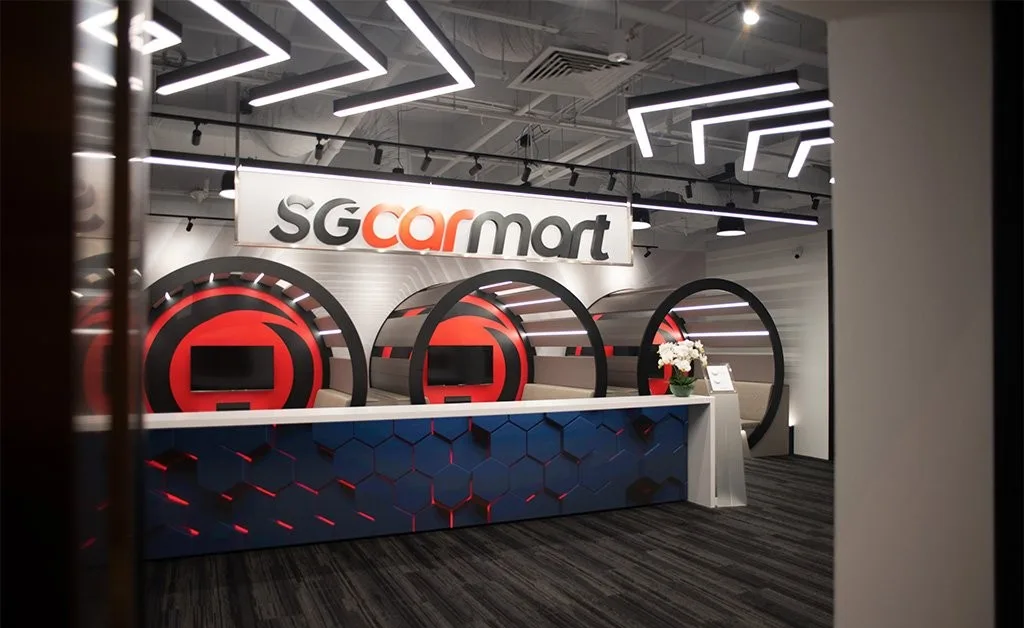
Sgcarmart, Singapore's number one car platform, had spent almost two years on SleekFlow, where flows ran only on set criteria and triggers. Five people with no coding background now build their own automations and dashboards in Volty, and have launched more than 16 apps and automations in days. Read the Sgcarmart case study.
Build your first automation in Volty
Start the 7-day trial with no credit card and ask Volty for the appointment reminder or the quote follow-up. See Volty automations for what they can do, and pricing for plans by country, which can change.
Frequently asked questions
What are WhatsApp automation tools?
WhatsApp automation tools send and answer WhatsApp messages without a person typing each one. They range from away messages and flow builders to connectors that start a message when something happens in another system, and AI agents that read the customer's message and decide what to do.
Which WhatsApp messages can be automated?
Any of them can be automated within Meta's rules. Replies within 24 hours of a customer's message can be written freely, by a person or by software. Messages outside that window, or messages you start, must use a template approved by Meta, and marketing messages require the customer's opt-in.
What is the difference between a WhatsApp flow and an AI agent?
A flow follows fixed steps and branches, so it is predictable and only handles what its author planned. An AI agent works out what the customer wants and answers from your information. Many teams use both: an agent for conversations and fixed automations for reminders and follow-ups.
Can I automate WhatsApp without coding?
Yes. Flow builders and connectors such as Zapier are no-code. In Volty you describe the automation in chat, Volty writes it, and an admin approves it before it runs, so nobody writes code.
Are WhatsApp automations safe for my number?
They are safe when they use the official WhatsApp Business Platform, approved templates and opted-in contacts. Tools that send from a normal account or ignore opt-out risk a ban. Keep every automation logged and able to pause itself on repeated failures.