

Omnichannel customer service means every channel you offer, such as WhatsApp, email, Instagram, Messenger and web chat, feeds one inbox and one customer record, so a conversation continues wherever the customer picks it up. The customer does not repeat themselves and your team does not guess what was said on the other channel.
It differs from having a presence on many channels. A business that answers email from one mailbox, WhatsApp from a phone and Instagram from a marketing account is multichannel. It becomes omnichannel when those three converge on one place with one history per customer.
What goes wrong without it
Disconnected channels show up as a handful of familiar problems:
A customer emails a complaint, gets no reply in a day, then messages on WhatsApp. The WhatsApp agent knows nothing about the email.
Two people reply to the same Instagram message because neither could see that the other had started.
The website chat says a delivery takes three days while the email template says five.
A phone number sits in one tool, an email address in another, and nobody can tell they belong to the same person.
Reports show a different story per channel, so no one can say how fast the team really replies.
The four parts of an omnichannel setup
One inbox
Every channel delivers into the same list of conversations. Your team works from that one list instead of five apps. Where you have separate teams, for example Sales and Support, each team gets its own inbox with its own channels and rules, still inside the same system.
One customer record
A contact holds the phone number, the email address and the channel handles, such as an Instagram username. When the same person shows up twice, the system should flag the duplicate and let you merge it. Without this, "continuity" is a slogan.
One set of answers
Your return policy, opening hours and prices live in one knowledge base that every channel draws from, whether a person or an AI agent is replying. Update it once and every channel changes.
One set of rules
Routing, reply targets and escalation apply across channels. A VIP customer gets the same priority on Instagram as on email, and a chat that waits too long alerts a manager wherever it started.
Channel by channel: what each one is good for
| Channel | Best for | Plan for |
|---|---|---|
| Quick questions, bookings, order updates, follow-ups | Free-form replies only inside 24 hours of the customer's last message; approved templates after that. See the 24-hour rule | |
| Detailed requests, attachments, invoices, formal records | Slower expectations, but a clear first reply target still matters | |
| Instagram DMs and Messenger | Product questions and replies to stories and ads | Both ride on a Facebook Page connection and have their own messaging windows |
| Web chat | Visitors with a question while browsing | Capture a phone number or email early so the chat can move to another channel |
Moving a customer between channels
The test of omnichannel service is what happens when a conversation changes channel. Three cases come up all the time:
A web chat visitor leaves before the answer is ready. The chat asks for a phone number or email, and the reply arrives on WhatsApp or by email instead.
An email needs a quick answer from a colleague. The teammate replies on WhatsApp or in the inbox, and the answer is carried back into the email thread.
A customer who started on an Instagram DM later messages from WhatsApp. The system matches them to the same contact and the agent sees both threads.
If any of these end with the customer repeating their order number, the channels are connected only on paper.
How to set it up in six steps
Look at where customers write today. Count a week of messages by channel before you decide which to add.
Connect those channels to one inbox, and split inboxes only where teams genuinely differ.
Write your routing rules in plain sentences: product questions go to the person who sells that product, billing goes to finance, everything else is shared out in turn.
Put your answers in one knowledge base: website pages, policy documents, price lists.
Set a first reply target per inbox, counted in business hours, and a rule for what happens after hours.
Review the reports weekly. Look for conversations that moved between channels and check that nobody was asked to repeat themselves.
One customer across three channels
Here is what connected channels look like when a customer buys a bike helmet.
On Monday she asks on an Instagram DM whether the helmet comes in medium. A teammate answers from the inbox and tags the chat "helmet".
On Tuesday she opens the website chat and asks about delivery. The chat asks for her phone number so the reply can reach her later. The number matches the contact that already holds her Instagram handle, and the agent sees Monday's conversation.
On Wednesday she emails to ask for an invoice. The email lands on the same contact, the person who sold the helmet gets it, and the reply goes out in the email thread.
At no point does she repeat the size, the order or her name. That is the standard to test against when you try a platform.
Questions to ask before you choose a platform
Do all my channels land in one inbox, or do some need a second tool?
Does one contact hold every phone number, email address and channel handle for a person, and can I merge duplicates?
Can the AI agent and my team draw on the same knowledge?
Can I set different rules for different teams without buying separate accounts?
Do reports cover every channel in one view?
What happens to my history if I leave?
Where an AI agent fits
An AI agent makes omnichannel service consistent at volume. It answers the same question the same way on WhatsApp, Instagram and the website, because it draws on the same knowledge. It can hold a conversation at night, take down the details a person will need and hand over with a summary.
Two controls keep this safe. First, a per-inbox choice between replying on its own, drafting replies for staff to approve, or staying out. Second, approval gates on actions that cost money or cannot be undone, such as a refund. Our guide to AI customer service covers how to decide which questions an agent should take.
Measuring it
First reply time by channel, to find the slow one.
Resolution time, counted from the first message in any channel.
Share of customers who used more than one channel, which shows how much your connected setup is actually used.
Repeat contacts about the same issue, a sign that the first answer did not land.
Conversations handed from the AI agent to a person, and how many of them were avoidable with a better knowledge base.
Common mistakes
Adding every channel at once. Each one needs an owner, a reply target and an answer to the question "what happens at 11pm".
Leaving one channel on a personal phone. It stays invisible to reports and to colleagues on leave.
Keeping separate knowledge per channel. Answers drift within a month.
Counting channels instead of conversations. Ten connected channels with a slow team is still slow service.
What it looks like in practice
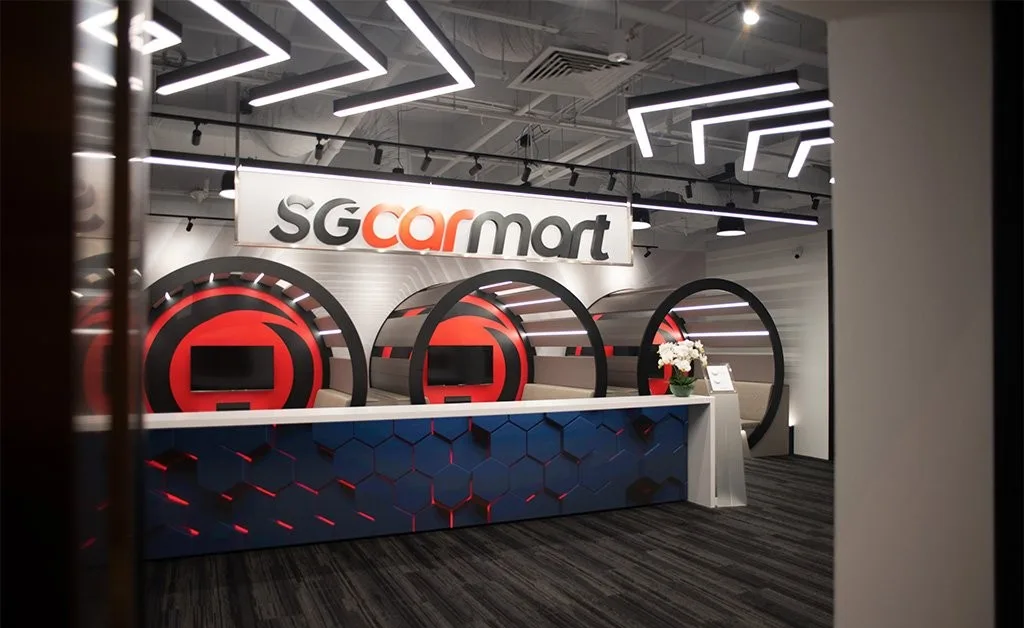
At Sgcarmart, Singapore's No. 1 car platform, the team's customer chats sit in one shared Volty inbox, each enquiry goes to the right person on the team, and the AI agent answers enquiries that come in by email. The five-person team has no coding background and launched 16+ apps and automations in days.
Jolene, Marketing Director at SL Aesthetic Group, describes the result for her team: "Now with automation, we deliver faster, more consistent responses… and the humans focus on the higher-value, personalised customer service." SkinLab, part of the group, runs its WhatsApp and web chat lines from one Volty workspace.
How to do this in Volty
Volty puts WhatsApp, Instagram, Messenger, Outlook and Microsoft 365 email, and web chat into one team inbox. Contacts hold an email address, a phone number and channel handles, and Volty offers to merge a second record of the same person. One AI agent answers on every channel from the same knowledge, and each inbox decides whether it replies on its own, drafts for your team, or stays out. A web chat visitor can move to WhatsApp or email, and Volty can ask a teammate about an email on WhatsApp and carry their reply back into the email thread.
If you want to see all channels working from one list, look at the Volty team inbox. Prices vary by market and can change, so check the pricing page.
Frequently asked questions
What is omnichannel customer service?
It is a way of running support where every channel, such as WhatsApp, email, Instagram and web chat, feeds one inbox and one customer record. A customer can start on one channel and continue on another, and your team sees the whole history either way.
What is the difference between omnichannel and multichannel customer service?
Multichannel means you are present on several channels, each run separately. Omnichannel means the channels are connected, so the conversation, the customer's details and your answers are shared across all of them.
Which channels should a small business start with?
Start with the two or three your customers already use. For most businesses that is WhatsApp or another messaging app, email and a chat widget on the website. Add a channel only when you can answer it as well as the others.
Do I need an AI agent for omnichannel support?
No, a shared inbox with good routing is enough to start. An AI agent helps once volume grows, because it can answer the repeat questions on every channel from one set of knowledge, which keeps answers consistent.
How do I measure omnichannel customer service?
Track first reply time and resolution time for each channel, the share of customers who contact you on more than one channel, and how often a customer has to repeat information. The last one tells you whether the channels are truly connected.