Integration

    EzyProcure and Volty

    Suppliers answer outlets on WhatsApp about purchase orders and invoices in EzyProcure, with EzyProcure connected by our team.

    Updated

    An add-on to tomorrow's delivery

    A chef checks tomorrow's order and asks to add to it. Volty reads the order and proposes the change.

    CD

    Chef Daniel Koh

    WhatsApp · Customer

    Morning, did you receive our PO for tomorrow? Need to add 2 cartons of romaine.

    Called EzyProcurePO-88213 · Sakura Bistro Bukit Timah · 6 lines · deliver 6 Nov
    VoltyMorning Chef Daniel. Yes, PO-88213 for tomorrow has 6 lines, including 4 cartons of romaine. I've asked the team to add 2 more cartons.

    Waiting for approval

    EzyProcure PO-88213: romaine 4 to 6 cartons, deliver 6 Nov

    ApproveEditDecline

    Google Sheets

    PO-88213 · Sakura Bistro

    ItemQtyUnitPrice
    2Japanese cucumber3kgS$10.50
    3Cherry tomato2trayS$14.00
    4Romaine6cartonS$108.00

    Row 4 added by Volty

    What Volty does with EzyProcure

    EzyProcure is the procurement platform restaurants and their suppliers in Singapore and Malaysia use for purchase orders and invoices. We connect EzyProcure to Volty as a custom connection, and what Volty reads and writes is agreed with you when it is connected. A supplier's Volty answers the outlets on WhatsApp: whether a purchase order came in, what it holds and which invoices are open, and a change to an order waits for a colleague.

    • Did you get our PO

      Volty reads the purchase order and confirms what is on it.

    • Open invoices

      Unpaid invoices for the outlet that is asking, with amounts and dates.

    • Only that outlet's orders

      A lookup is bound to the verified customer in the conversation.

    • Order changes wait

      A change to a purchase order waits for a colleague to approve it.

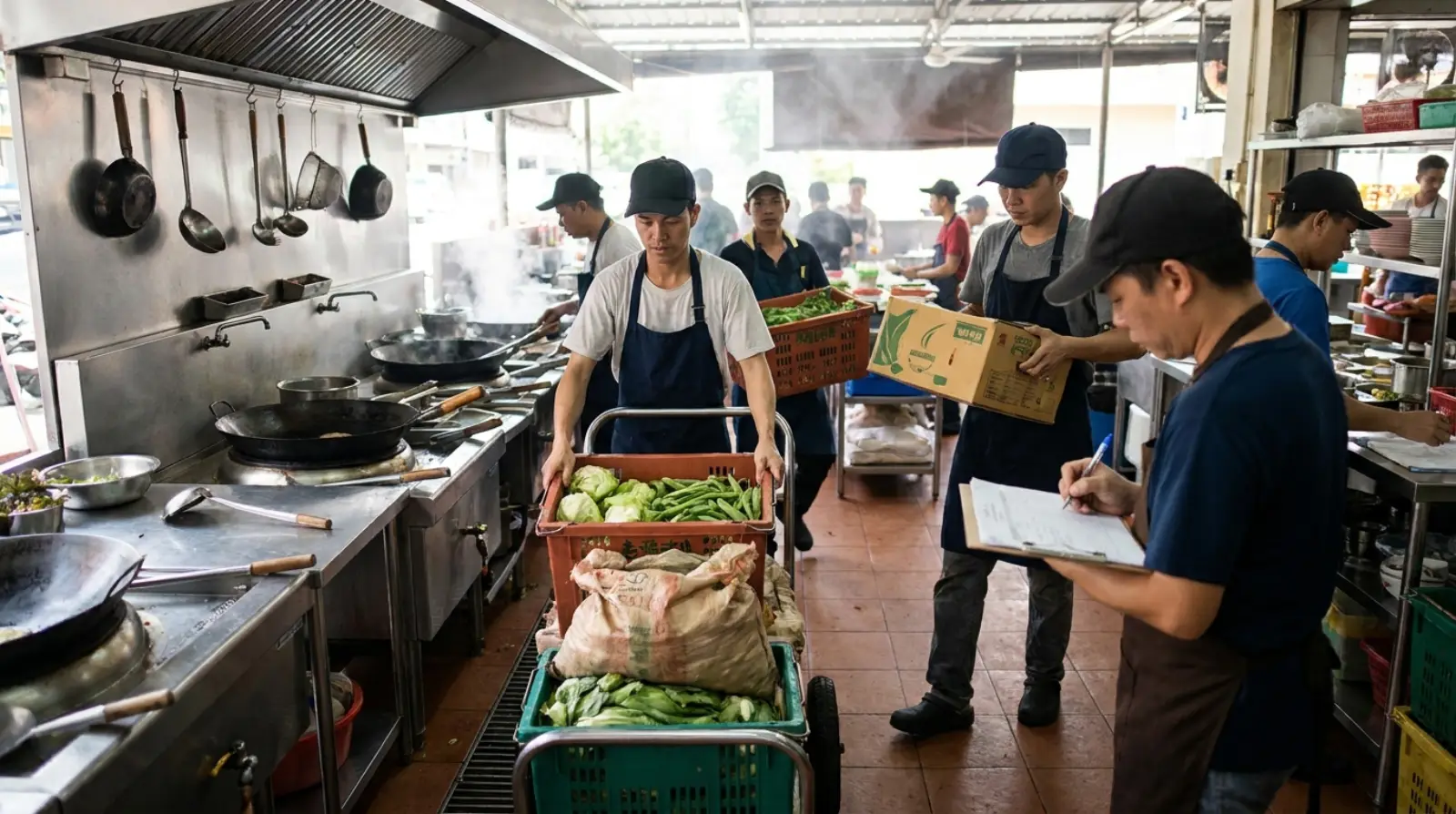
    A busy restaurant kitchen takes a delivery: a cook wheels a cart of cabbage, long beans and bok choy past the woks while a man with a clipboard checks it in.
    Purchase orders and invoices answered on WhatsApp.

    An invoice question

    An outlet manager asks what is unpaid.

    NH

    Nurul Huda

    WhatsApp · Customer

    Can you tell me which of our invoices are still unpaid?
    Called EzyProcureSakura Bistro Bukit Timah · 2 unpaid · S$1,284.60
    VoltyHi Nurul, two invoices are unpaid: INV-30412 for S$642.30 due 10 November and INV-30455 for S$642.30 due 17 November.

    As an automation

    Describe it to Volty in a sentence; it drafts the automation and an admin turns it on.

    Next-day order check

    1. When

      Every afternoon

      A scheduled automation

    2. Step 1

      Reads tomorrow's orders

      From EzyProcure

    3. Step 2

      Confirms with each outlet

      An approved template

    4. Step 3

      Answers the replies

      And proposes any changes

    A chef in an apron crouches to pick through crates of leafy greens at a street market stall while the vendor looks on.
    What was ordered and what arrives, in the same thread.

    How Volty connects to EzyProcure

    We connect EzyProcure to your workspace as a custom connection, agreed with you, and an admin approves it once before Volty uses it.

    1. 01

      Agree what Volty reads and writes

      Purchase orders and invoices, as your EzyProcure account allows.

    2. 02

      Approve the connection

      An admin approves it once in Volty.

    3. 03

      Set the switches

      Each tool is On, Check with staff, or Off.

    The tools Volty gets

    Each one is a switch on the Sources page in Volty.

    • Find outletReads
    • Read purchase orderReads
    • List open invoicesReads
    • Change purchase orderChanges

    Reading tools can be turned on straight away. Anything that changes EzyProcure starts Off, and once on it can be set to check with staff, so each change waits for a colleague.

    Common questions

    How does Volty connect to EzyProcure?

    We connect EzyProcure to your workspace as a custom connection, from an API key or address, and what Volty reads and writes is agreed with you when it is connected. An admin approves it once before Volty uses it.

    Can Volty change records in EzyProcure?

    Only when an admin allows it. Every tool has its own switch: tools that only read can be turned on, and tools that change a record start Off. A tool that is on can be set to check with staff, so each change waits for a colleague to approve it.

    How much does it cost to connect EzyProcure with Volty?

    Every Volty plan includes seats, active contacts and AI credits and starts with a free 7-day trial, and the plan prices are on voltade.com/pricing. Meta bills message charges separately for WhatsApp, Instagram and Messenger.

    Sign up for our 7-day trial. No credit card needed.

    Not convinced? Hear more from our CEO and Volty

    The Leonard and Volty Show · 8 October 2026

    Meta now charges for WhatsApp replies

    Meta now charges for WhatsApp replies. Here's what it means for your business, 8 October 2026