WhatsApp error code 131060: companion device message visibility
When using WhatsApp Business API with Coexistence mode, you may encounter error code 131060. This error is specifically related to companion devices and affects message visibility on the API side.
What error 131060 is
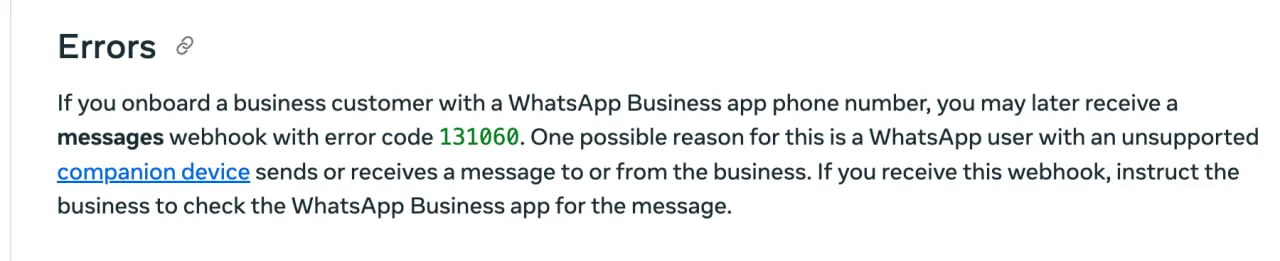
Error code 131060 occurs when a WhatsApp user with an unsupported companion device sends or receives a message to or from your business number.
According to Meta's official documentation:
"If you onboard a business customer with a WhatsApp Business app phone number, you may later receive a messages webhook with error code 131060. One possible reason for this is a WhatsApp user with an unsupported companion device sends or receives a message to or from the business."
Why this happens
This error is common with Coexistence flow setups where:
1. The business uses both WhatsApp Business App and Cloud API simultaneously
2. A customer's companion device (such as WhatsApp Web or a linked tablet) sends or receives a message
3. The message cannot be relayed to the Cloud API due to companion device limitations
What companion devices are
Companion devices are additional devices linked to a WhatsApp account, such as:
When messages are sent or received through these companion devices, they may not be visible through the Cloud API integration.
How Voltade handles this error
Voltade now catches this error and displays it clearly on our platform. Instead of silently failing or showing a confusing technical error, you'll see a clear notification:
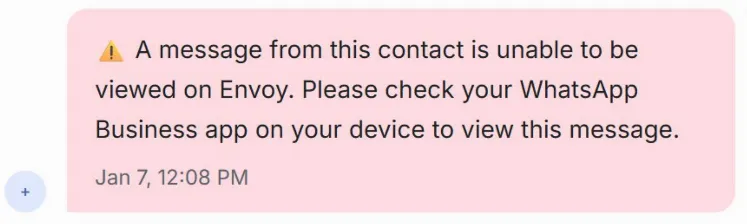
The message clearly states:
⚠️ "A message from this contact is unable to be viewed on Voltade. Please check your WhatsApp Business app on your device to view this message."
This allows your team to:
How to resolve this issue
Since this error is related to companion devices, it needs to be resolved on the WhatsApp Business App:
Step 1: Check the WhatsApp Business App
Open the WhatsApp Business App on your primary device to view the message that couldn't be relayed to Voltade.
Step 2: Respond from the Primary Device
If necessary, respond to the customer directly from the WhatsApp Business App.
Step 3: continue normal operations
Once the message thread is updated from the primary device, subsequent messages should sync normally to Voltade.
Best practices for Coexistence mode
To minimise error 131060 occurrences:
1. Regularly open the WhatsApp Business App on your primary device
2. Encourage customers to message your primary number rather than through companion device limitations
3. Train your team to check the WhatsApp Business App when they see this error in Voltade
4. Consider full Cloud API migration if these errors become frequent, this eliminates companion device issues entirely
Contact Voltade
If you're frequently encountering error 131060 or need help optimising your Coexistence setup:
Talk to Volty. Our team can help you configure the best setup for your business needs.